Anamnesis and life project
The anamnesis is the guided intake of a resident’s life project. It is filled in shortly after admission, then updated whenever the situation changes.
Menu: Care → Anamneses, or the Anamneses button on the resident record.
The principle: compose, never re-enter
An anamnesis is a dated snapshot per discipline, not a second copy of the record.
The resident’s facts (glasses, pacemaker, walking aids, weight, wishes…) are stored once on the resident and edited straight from the anamnesis. Correcting the weight here corrects it everywhere.
The structured clinical data (dependency assessment, allergies, prescriptions, assessment scales) is reached by smart button, never copied.
Only the remarks and the general notes belong to the anamnesis itself: they are what that professional observed, on that date.
Why this matters
An intake form that re-asks for the dependency category, the allergies and the treatments quickly produces two versions of the truth — and staff learn to skip those blocks. Here there is nothing to skip: what already exists is shown, not asked again.
1. Create the anamnesis
Open Care → Anamneses and click New (or start from the resident).
Pick the resident and the discipline: Nursing, Physiotherapy, Occupational Therapy or Speech Therapy.
The date defaults to today, and the author is you.
Save.
One anamnesis per resident, discipline and date
Resthome refuses a duplicate for the same resident, the same discipline and the same date. To revise a same-day entry, edit the existing one rather than creating a second.
2. Physical particularities
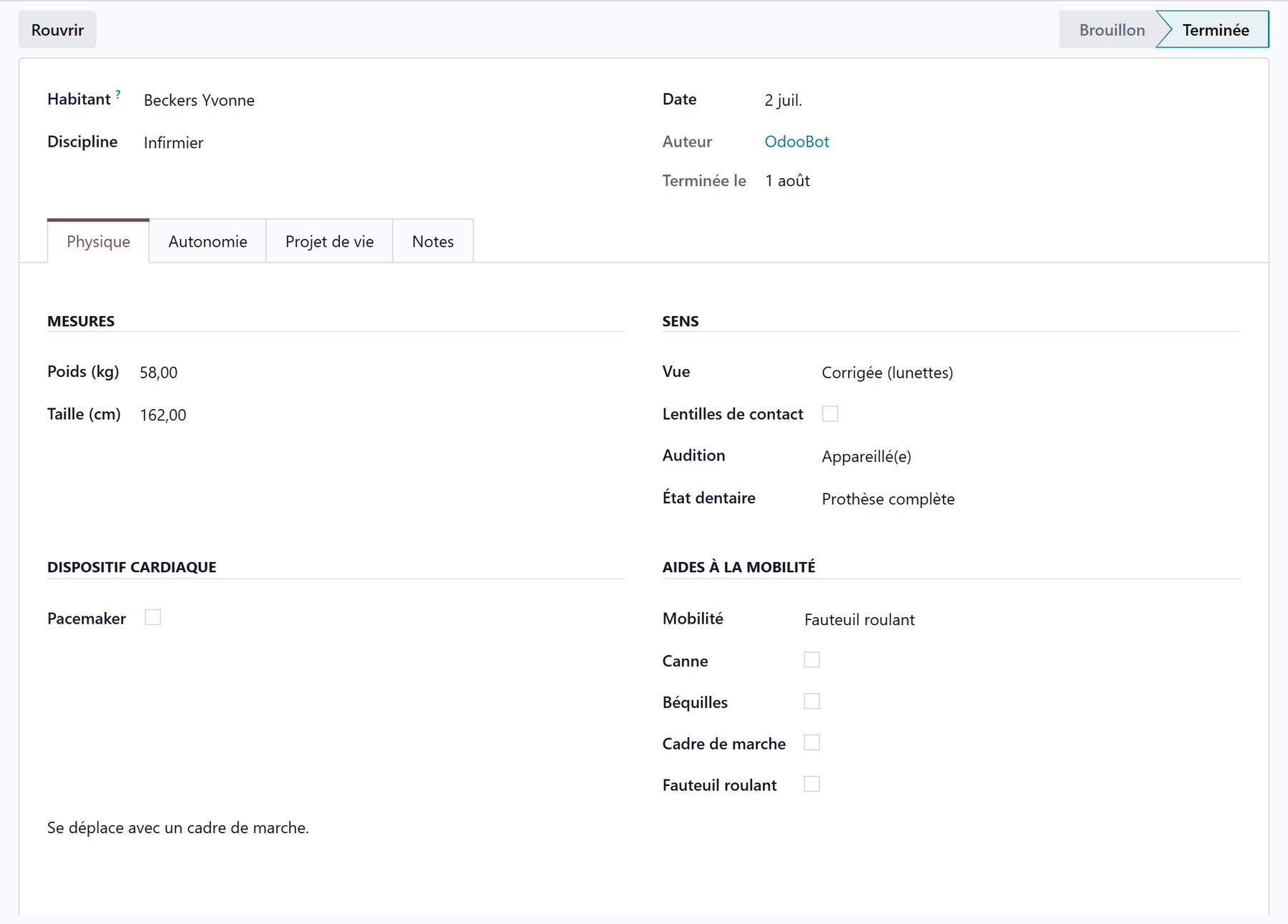
The first block gathers what care staff need at a glance:
Item |
Detail |
|---|---|
Sight, hearing, dental status, mobility |
the resident’s core selections |
Contact lenses |
yes / no |
Pacemaker |
presence, rhythm and device number |
Walking aids |
cane, crutches, walking frame, wheelchair (with its number) |
Weight and height |
feed the nutritional monitoring |
These fields belong to the resident: they are visible on their record and in the other apps that need them.
3. Hospitalisation preferences
What to do, and where to go, if the resident has to be hospitalised: preferred hospitals, refused hospitals, room type and complementary insurance.
These preferences feed the liaison pack printed when a hospitalisation is recorded — see Manage a resident.
4. The life project and end-of-life wishes
The most sensitive block, and the reason the anamnesis exists:
Administrative arrangements — will, burial concession, funeral preference and funeral home, funeral contract status, notary.
Religion, when the resident wishes to state it.
Instructions — end-of-life instructions and hospitalisation instructions, in free text.
Palliative status — start date, and whether the resident and their representative have agreed.
DNR order and advance directives, with their notes.
Collected once, honoured everywhere
A DNR order or an advance directive entered here shows up on the resident’s record, where the care team sees it. These wishes must be gathered with the resident, and with their representative where applicable — the two agreement boxes exist precisely to record that this conversation took place.
5. Remarks and clinical context
Three free-text areas hold what you observed: physical, autonomy / care, and life project remarks, plus richer general notes.
Alongside them, smart buttons open the existing clinical record without leaving the page:
the resident’s dependency assessments (and their current category);
their allergies, with a counter;
their prescriptions, with a counter;
the assessment scale suited to the discipline — Tinetti for physiotherapy, MMSE for occupational therapy, and the country’s dependency scale otherwise.
In Belgium
The dependency assessment is the Katz scale: the anamnesis reaches the resident’s Katz assessments and their current category. See Care in Belgium.
6. Complete the anamnesis
When the intake is done, click Complete. Resthome records the completion date.
State |
Meaning |
|---|---|
Draft |
Being filled in; editable and deletable. |
Complete |
Part of the clinical record: no longer deletable. |
A completed anamnesis cannot be deleted
It belongs to the clinical record, whose retention is a legal obligation. If it was completed by mistake, reopen it — that returns it to draft, and it becomes editable again.
The same rule applies to the resident: the record is archived, never deleted.
Key takeaways
The anamnesis is a dated intake per discipline, not a second record.
What the record already holds is composed, never re-entered: correcting a fact here corrects it everywhere.
The life project and end-of-life wishes are gathered here and stay visible on the resident’s record.
Complete makes the anamnesis part of the clinical record — it can then be reopened, but no longer deleted.