The resident’s medical record
The Medical Information tab of the resident record is their clinical record in Resthome. On a single page it brings together the measurements, the clinical status, the senses and risks, the devices, the diagnoses (ICD-10), the allergies, the medical contacts and the advance directives.
You find it on the resident record (Residents or Care app), in the Medical Information tab. The tab only appears for residents.
Access restricted to care staff
The Medical Information tab and the indicators derived from it (DNR badge, filters) are only visible to care staff. Changes to medical data are logged (traceability and GDPR compliance).
Above the tab, a set of stat buttons opens the other follow-up panels: Prescriptions, Care Plans, Notes, Vital Signs and Trends, plus the country’s dependency assessment. The medical record described below, for its part, focuses on the resident’s clinical profile.
Measurements and BMI
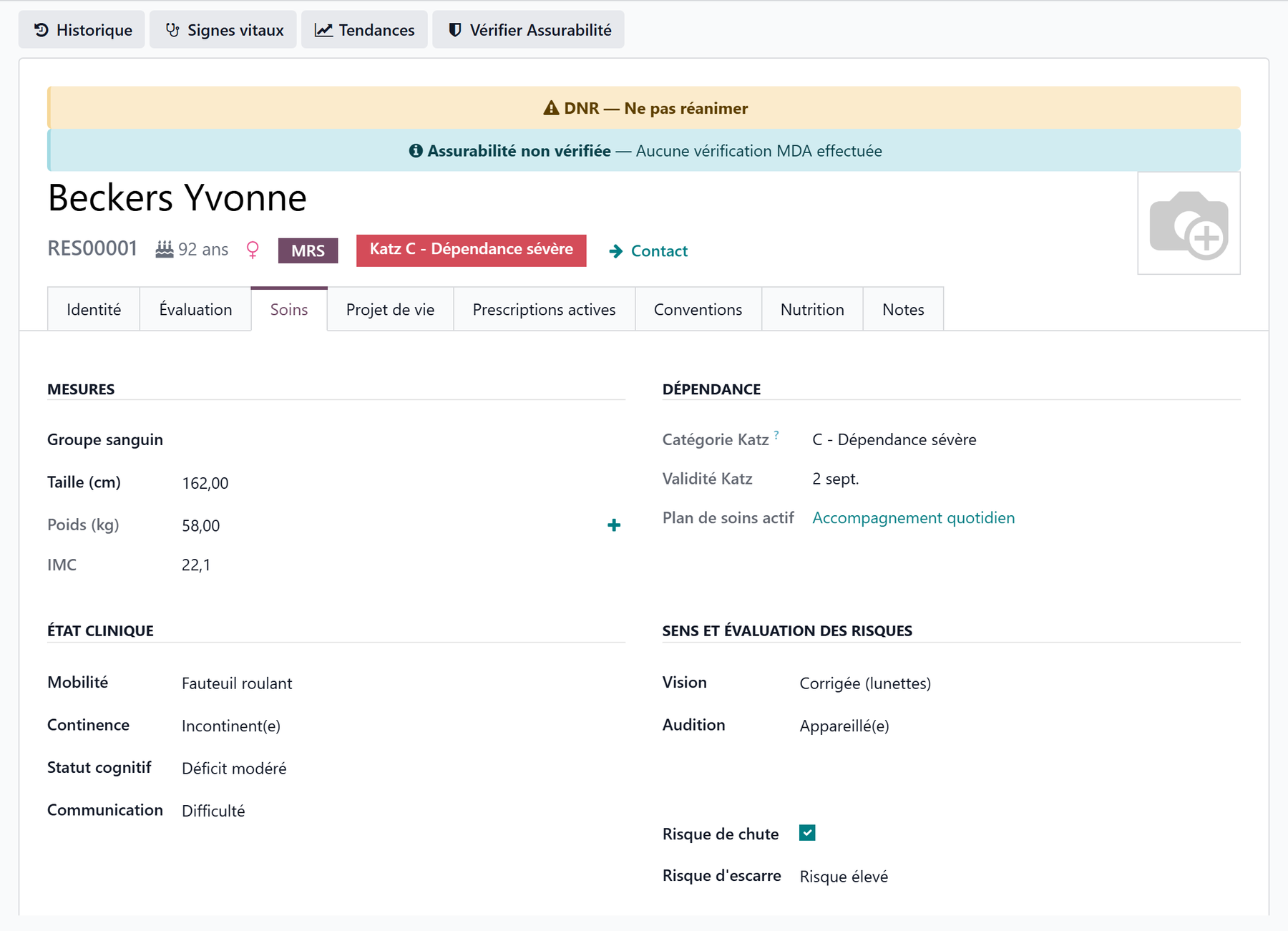
The Measurements section gathers the basic body data:
Field |
Purpose |
|---|---|
Blood Type |
The resident’s blood type |
Height (cm) |
Height, entered once |
Weight (kg) |
Read-only — comes from the vital signs |
BMI |
Calculated automatically (weight / height²) |
Weight goes through the vital signs
The Weight field is not entered directly here: it picks up the last value recorded during a vital signs entry. Use the Enter Vital Signs button at the top of the record, or the small + next to the Weight field. The BMI then recalculates on its own as soon as height and weight are known.
Dependency
The Dependency section shows, read-only, the summary of the resident’s dependency: the active care plan, if there is one, and — when the country pack provides a dependency scale — the current dependency category and the end of validity of the assessment.
This information comes from the dependency assessment and the care plan; you do not edit it from the medical record.
In Belgium
The section shows the current Katz category (O, A, B, C, Cd) and the end of validity of the Katz assessment, and a Katz button opens the assessments. The category is declared to the health insurer; it does not set the amount of the allowance. See Care in Belgium.
Clinical status
The Clinical Status section describes the resident’s functional autonomy. Each field offers a list of values:
Field |
Values |
|---|---|
Mobility |
Autonomous · Cane · Walker · Wheelchair · Bedridden |
Continence |
Continent · Occasional Incontinence · Frequent Incontinence · Incontinent |
Cognitive Status |
Normal · Mild Impairment · Moderate Impairment · Severe Impairment |
Communication |
Normal · Difficulty · Non-verbal · Aphasia |
Senses and risks
The Senses & Risk Assessment section completes the profile:
Field |
Values |
|---|---|
Vision |
Normal · Corrected (Glasses) · Impaired · Blind |
Hearing |
Normal · Hearing Aid · Impaired · Deaf |
Fall Risk |
Yes / No |
Pressure Sore Risk |
Low · Moderate · High |
These indicators guide daily monitoring and feed into the care plan.
Medical devices
The Medical Devices section lists the devices and permanent conditions:
Urinary Catheter (yes / no);
Stoma (yes / no);
Dental Status: Natural Teeth · Partial Denture · Full Denture · Edentulous.
Diagnoses (ICD-10 pathologies)
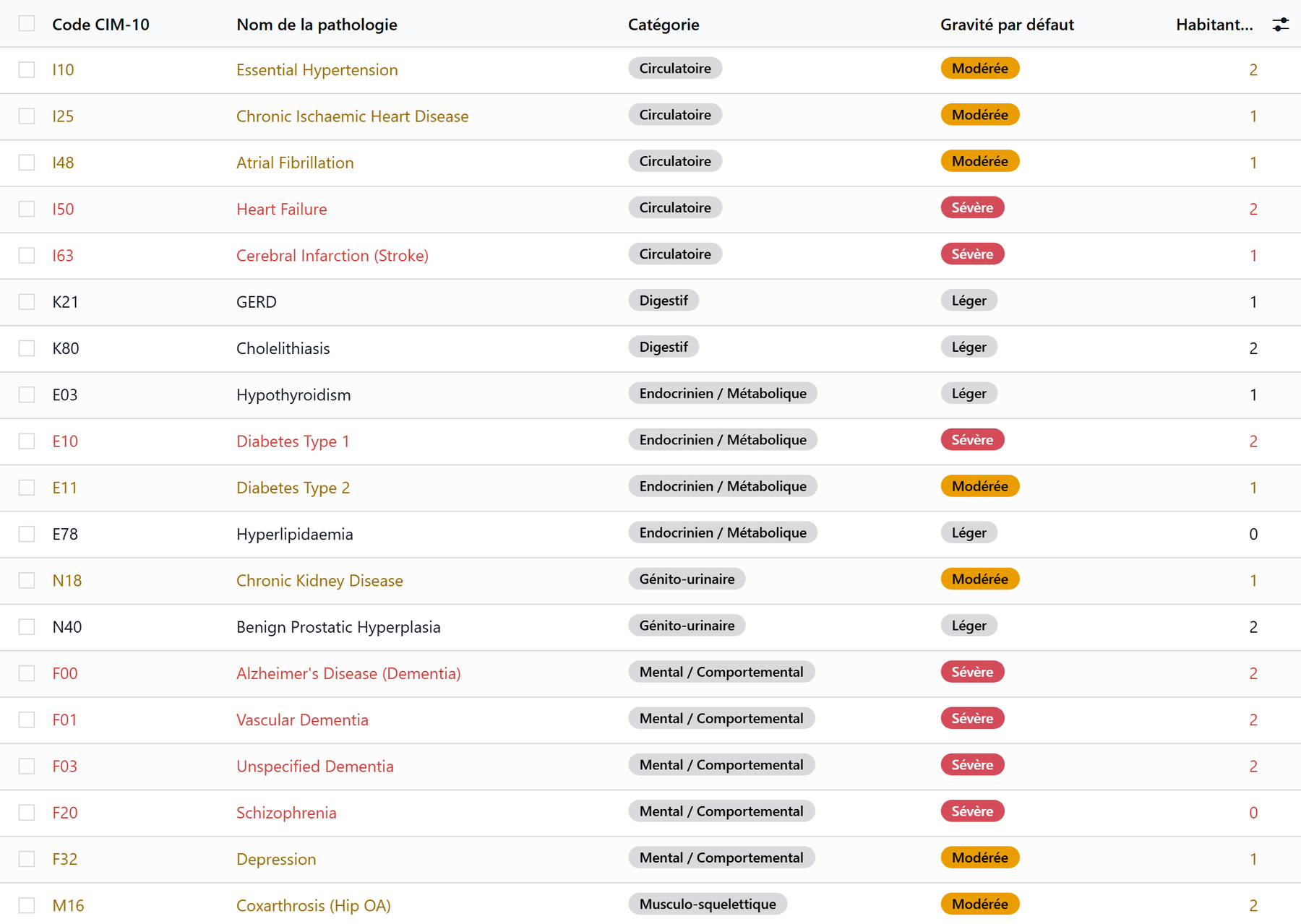
The Diagnoses / Pathologies section lists the resident’s pathologies, coded according to ICD-10 (International Classification of Diseases). Each line links the resident to a pathology from the catalog.
Column |
Purpose |
|---|---|
Pathology |
The pathology from the catalog (ICD-10 code) |
Category |
Taken from the catalog (circulatory, nervous, endocrine…) |
Severity |
Mild · Moderate · Severe — specific to this resident |
Status |
Active or Resolved |
Confirmed |
Clinically confirmed diagnosis (yes / no) |
Date |
Date of diagnosis |
Notes |
Clinical observations |
Severity and status specific to the resident
The catalog carries a default severity, but you set the severity and the status (Active / Resolved) for this resident. A Resolved status requires a resolution date. A given pathology can only be recorded once per resident.
Allergies
The Allergies section lists the allergies specific to the resident, linked to the allergen catalog.
Column |
Purpose |
|---|---|
Allergen |
The allergen from the catalog |
Category |
Drug · Food · Environmental · Contact · Insect/Venom |
Severity |
Low · Medium · High · Critical — specific to this resident |
Confirmed |
Clinically confirmed allergy (yes / no) |
Date |
Date identified |
Reaction |
Description of the reaction |
Drug allergens protect prescribing
For a drug allergen, the severity drives the behavior when prescribing: Critical blocks the prescription of the medication concerned; High, Medium or Low shows a warning. Food and environmental allergies are for documentation. See Prescriptions and medications.
An Additional Allergy Notes field lets you record, in free text, the allergies or remarks that are not in the structured list.
Medical contacts
The Medical Contacts section links the resident to their healthcare providers:
Specialist Doctors — one or more doctors (tags);
Reference Pharmacy.
The Attending Physician (the resident’s assigned doctor) is set instead on the resident’s general information. These contacts are reused elsewhere in Resthome: in prescriptions, and in the electronic exchanges with the health insurer, where the country has them.
In Belgium
The physicians’ records carry their INAMI Number, used in the eHealth exchanges. See Care in Belgium.
Advance directives and DNR
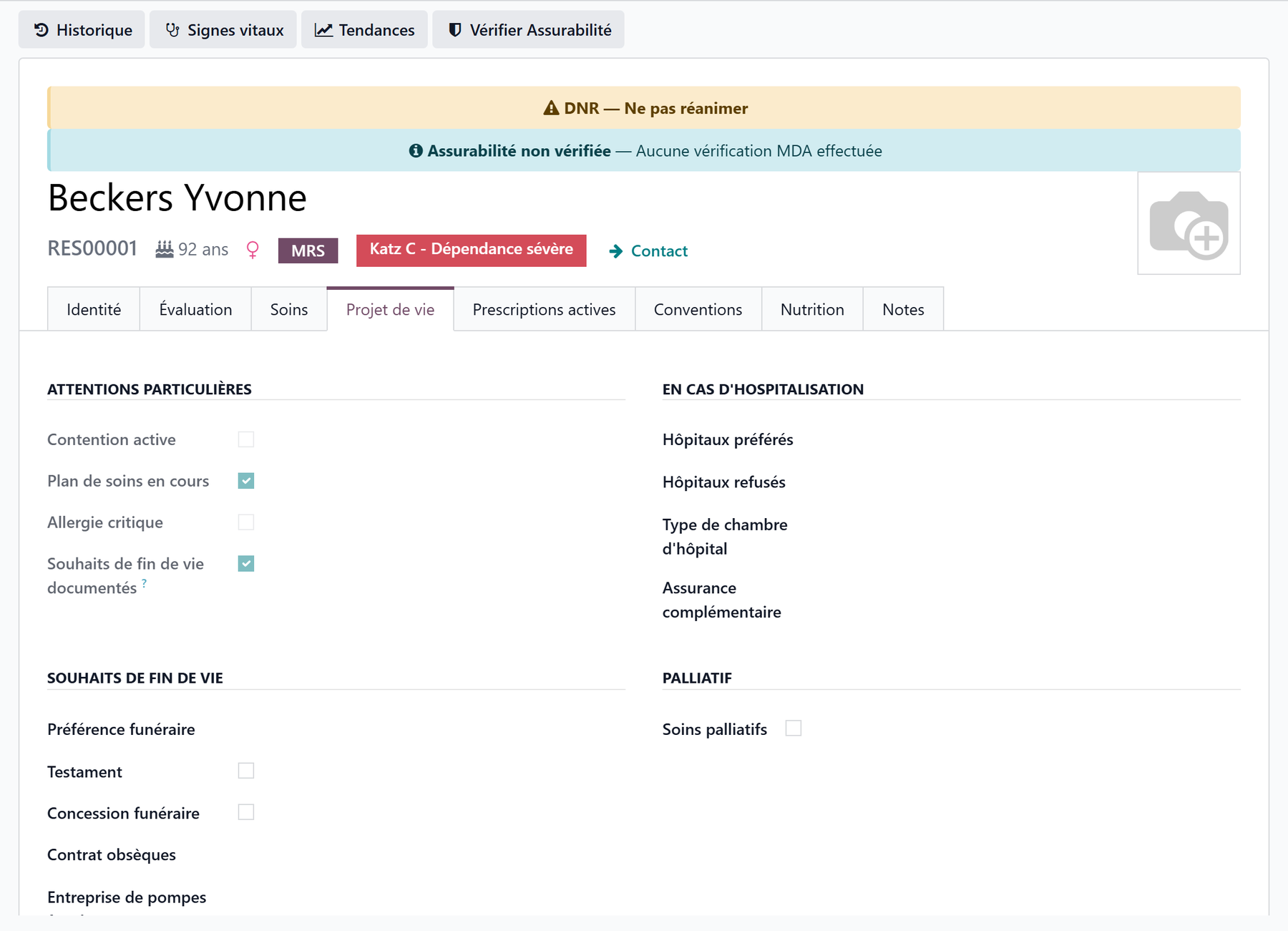
The Advance Directives section records the resident’s wishes:
Has Advance Directive (yes / no) — when ticked, a content field appears to describe what it contains;
DNR Order (Do Not Resuscitate) — the do-not-resuscitate decision.
The DNR is flagged everywhere in Resthome
As soon as DNR Order (Do Not Resuscitate) is ticked, Resthome makes it visible to care staff:
an orange banner “DNR — Do Not Resuscitate” at the top of the resident record;
a DNR badge on the kanban card and in the residents list;
a DNR filter in the search, to find the residents concerned.
Medical notes
Finally, a free-text Medical Notes field lets you record any important information that does not fit the structured sections.
Key points to remember
The medical record is the Medical Information tab of the resident record; it is reserved for care staff and logged (GDPR).
The weight comes from the vital signs (read-only) and the BMI is calculated automatically from height and weight.
The dependency category and the active care plan are shown there read-only.
The diagnoses use ICD-10; severity and status (Active / Resolved) are specific to the resident.
Drug allergens protect prescribing: Critical blocks, the others warn.
The DNR triggers a banner, a kanban/list badge and a search filter.
Further reading
Prescriptions and medications — allergies and interactions when prescribing.