Notes
A note is written from the resident’s sheet, with the Note button.
Writing a note
Choose the type at the top: Observation, Behaviour, Pain, Fall, Change, Wound or Family.
Write what you saw, in your words.
Switch on Someone must read this if the team must know.
Answer the extra questions, if the type asks for them.
Tap Save.
Extra questions by type
The app only asks what the record needs for that type.
Pain — How bad, 0 to 10: tap the score.
Fall — What happened and Where.
Change — What kind, and How often the first time only: the answer is then kept in the continence register.
Wound — see below.
Wound
Under Which wound, choose a wound already followed, A new wound, or Skin watched, no wound.
For a new wound:
What kind of wound;
Where on the body — tap the zone on the drawing, or Elsewhere, not on the drawing and say where;
Where it comes from.
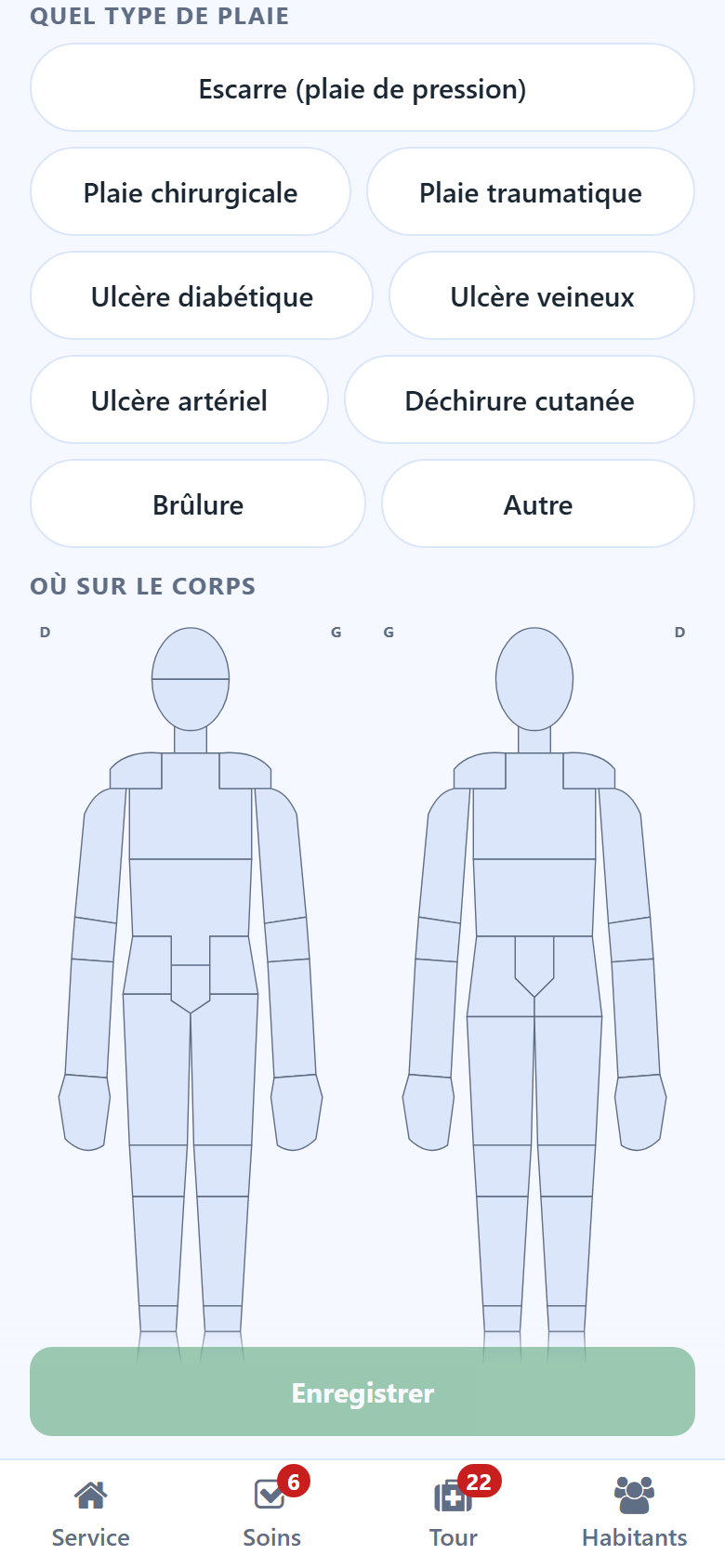
Then, for a new wound as for a wound followed:
Photo — Take a photo, Retake to replace it;
Measured today, in cm — length, width, depth;
Stage when the type of wound has one, Exudate and Edges.
For a wound already followed, And now records the decision of the day.
Reading a note
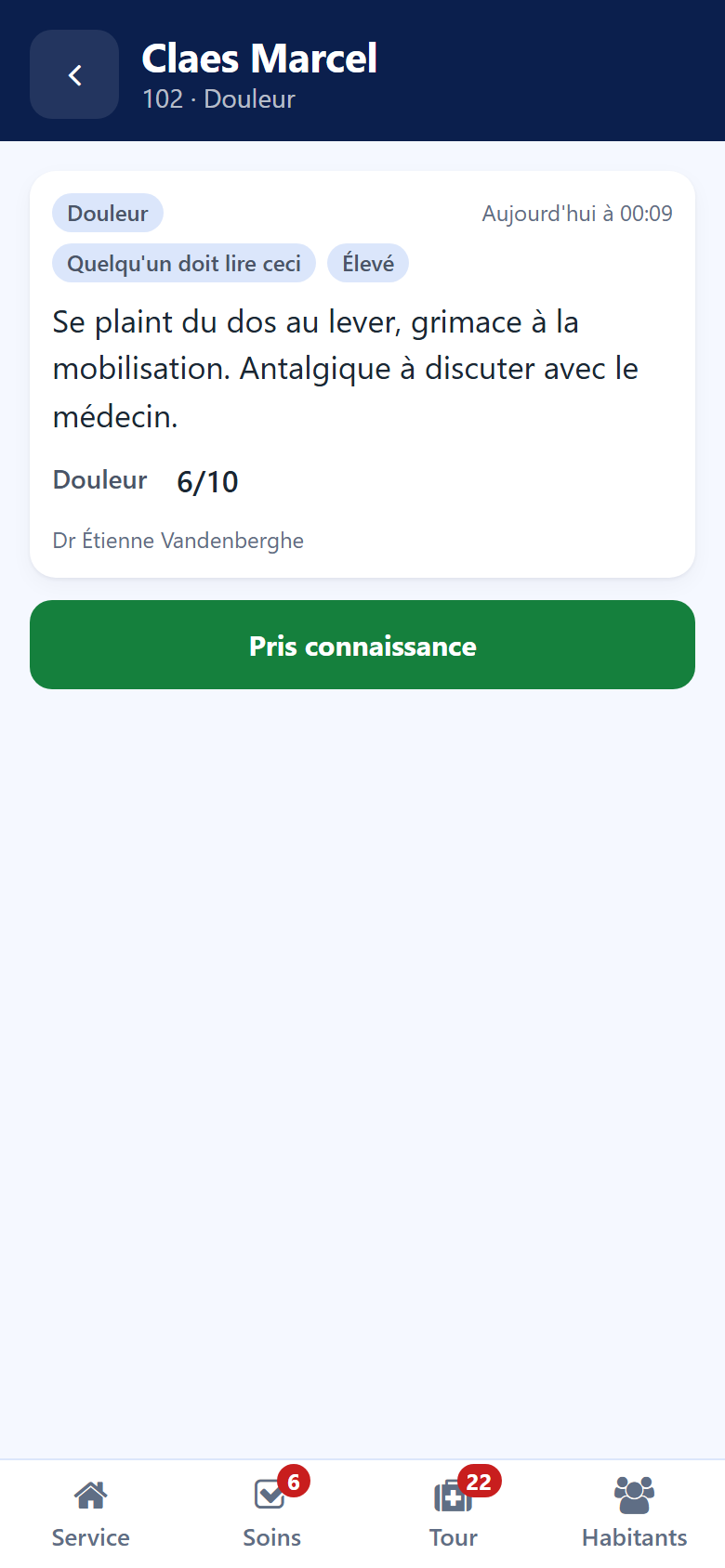
Tap a note on the resident’s sheet or in the bell: it opens whole, with its type, its time, its author and the measures it carries. For a note marked Someone must read this, tap Seen once it is read.
The notes also appear in the back office, in the resident’s nursing notes. See Care plans and vital signs.