Prescriptions and medications
Resthome manages a resident’s medication end to end: from prescription to administration, including stock and safety checks (allergies, interactions).
The medication catalogue
Available medications are grouped in a catalogue. It lists the name, the form and the dosage. It is the source of prescriptions. Where the country provides a national medication reference database, Resthome imports its medications into the catalogue instead of having you enter them by hand.
In Belgium
The catalogue is fed from SAM, the official Belgian medication database (CNK code, active ingredient, ATC code, leaflets). See The SAM medication database.
Prescribing
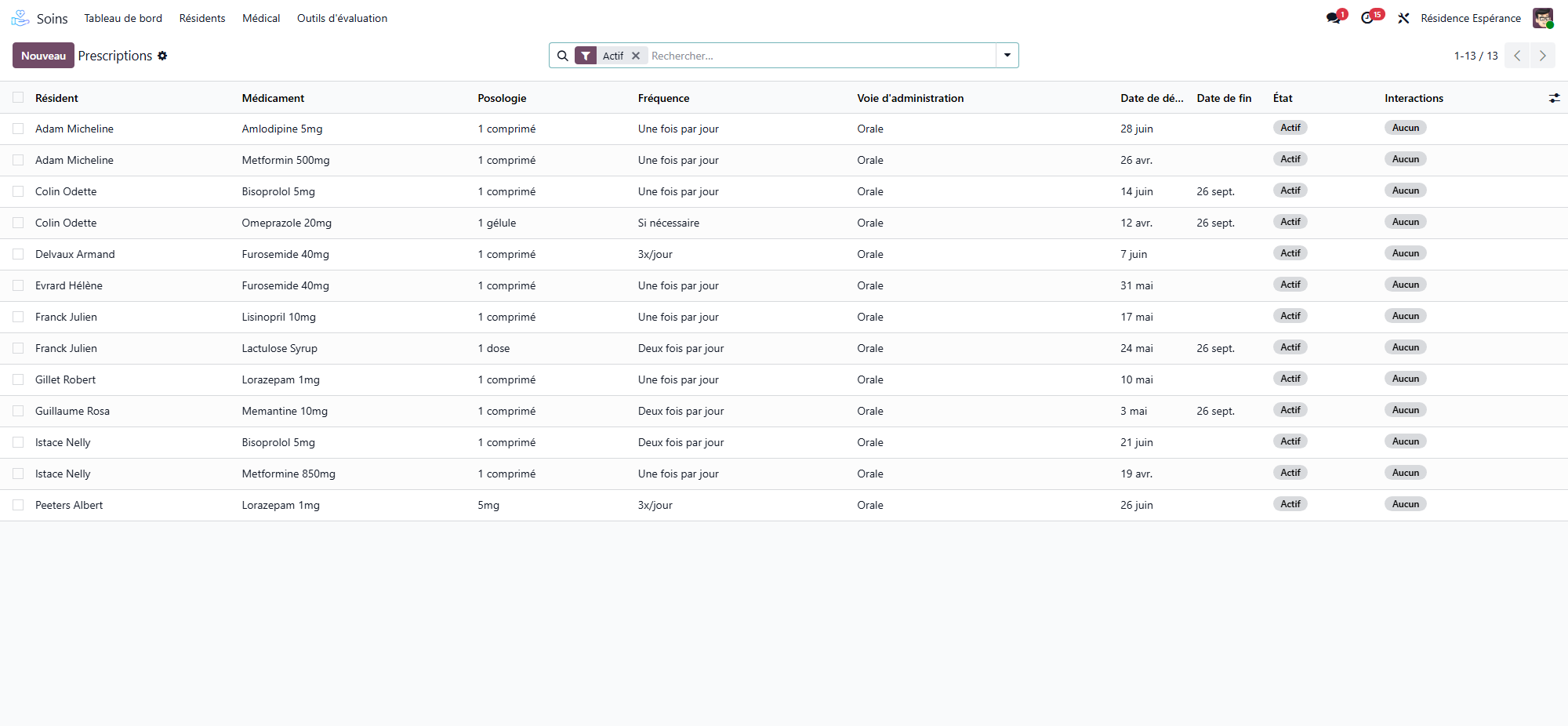
From the resident’s record (Care application), create a prescription.
Choose the medication, the dosage and the period.
Save.
A prescription follows its life cycle with clear actions:
Suspend — temporarily interrupt (e.g. before an examination).
Resume — restart a suspended prescription.
End — close at the end of the treatment.
Cancel — remove a prescription entered by mistake.
Safety: allergies and interactions
Resthome knows the resident’s allergies and the known drug interactions. It warns you if a prescription poses a risk — a safeguard before administration.
Administering
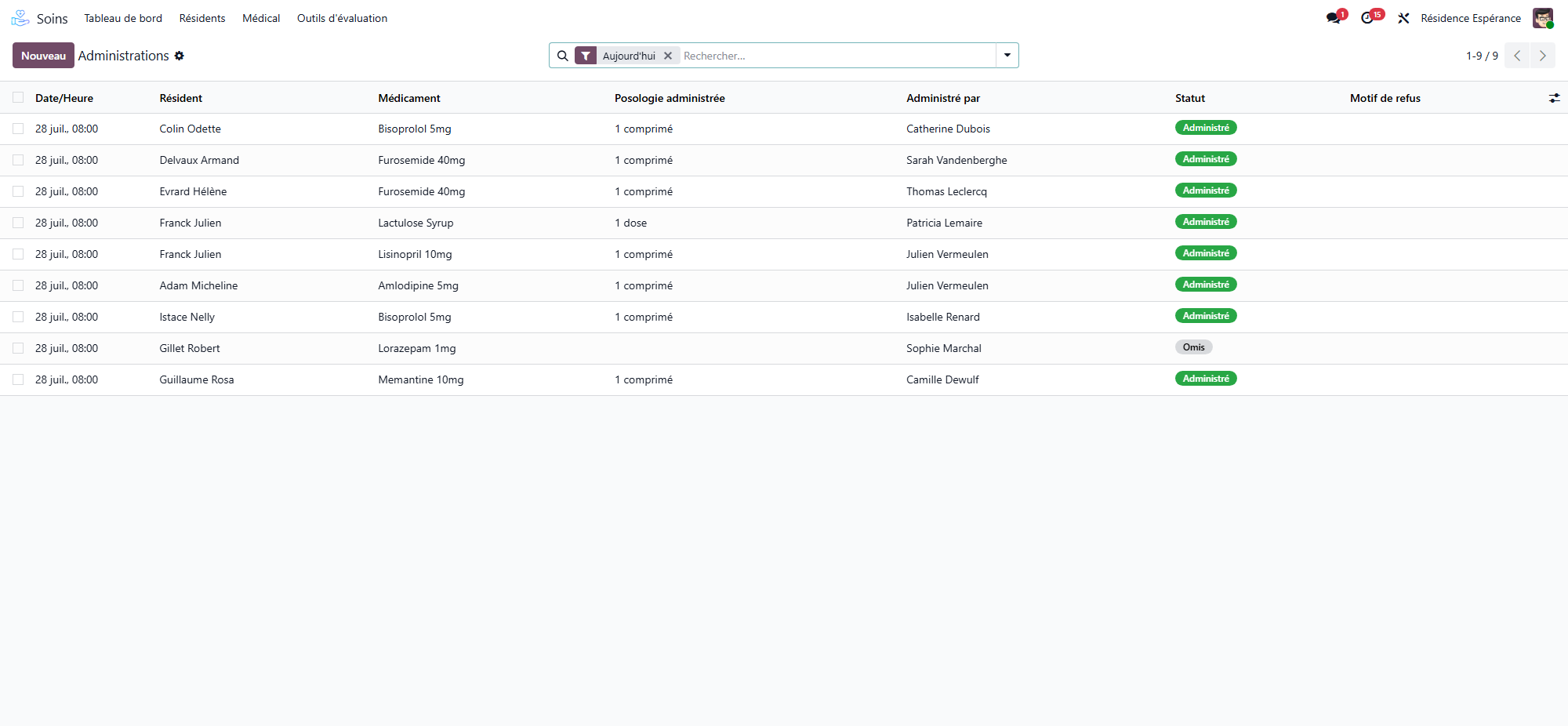
Administrations stem from prescriptions: the caregiver records what was given, when and by whom. Traceability is complete.
Hospitalisation: suspend, then resume
When a resident goes to hospital, their prescriptions must not stay active — the hospital takes over. Resthome does it in one step.
From the resident’s record, open the hospitalisation action.
Choose Hospitalise, and enter the date and the reason.
Confirm: every active prescription is suspended, each one carrying the date and the reason.
On the way back, the same action in Return mode resumes the prescriptions that had been suspended for this hospitalisation.
The liaison pack
Before the resident leaves, print the liaison pack: the document the hospital asks for on admission. It gathers what the ward needs — identity, treatments, allergies, dependency, and the hospitalisation preferences recorded in the anamnesis.
One click, at the right moment
The pack is printed from the hospitalisation window itself, so it is produced while the transfer is being recorded — not looked for afterwards.
Lots and stock
The medication lots and the stock withdrawals let you track the available quantities and consumption, with lot numbers for traceability.
Useful configuration
Pathologies (ICD-10) — the resident’s history and diagnoses.
Allergens — known allergies.
Drug interactions — vigilance rules.
National medication database — the country’s reference catalogue of medications, where one is provided.