Care app
The care app is the Resthome screen made for the phone or tablet a carer carries on the round. It shows only what the shift needs: what is to be done, the medication to give, the resident in front of you, and what must be written down. Everything recorded lands in the same records as the back office.
Opening the app
From the back office — click the phone icon in the top bar.
On a phone or tablet — open the Resthome address followed by
/care, then use the browser menu to add it to the home screen. It then opens like an app.Directly at sign-in — on the user, tick Open the care app at sign-in. The person lands in the care app instead of the back office.
The app uses the same sign-in and the same access rights as the back office.
Moving around
A bar at the bottom of the screen gives the four main screens. A number on a tab says how many things are waiting there.
My shift — the overview of the shift. → Shift screen
Cares — the cares to carry out, resident by resident. → Cares
Round — the medication round. → Medication round
Residents — the list and each resident’s sheet. → Residents
From a resident’s sheet you write a note, take the vital signs or fill in an evaluation.
Choosing the sector
Under the title of the main screens, the sector button filters every list of the app — cares, round and residents. Tap it and choose a sector, or The whole house. The choice stays when you change screen.
The bell
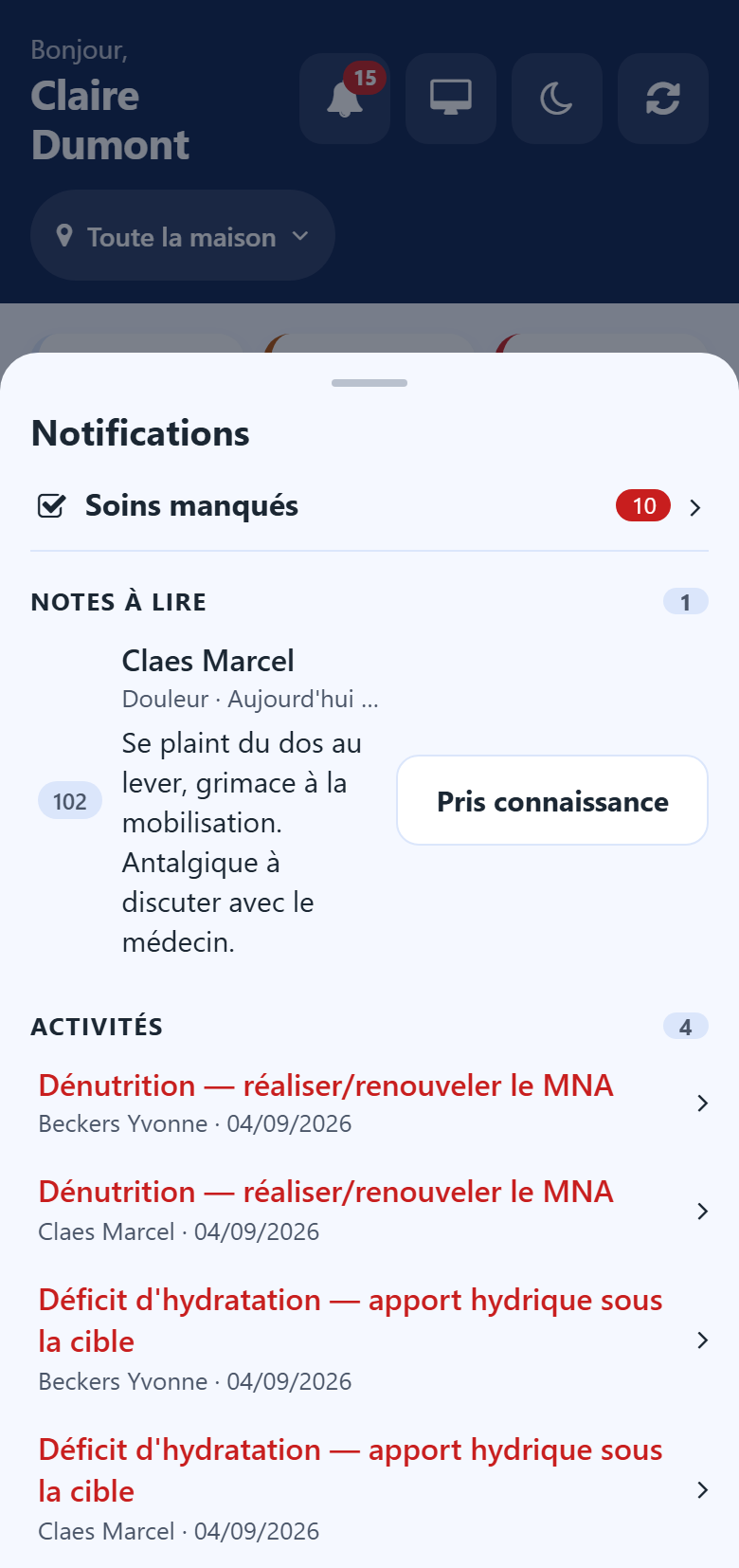
The bell at the top right gathers what asks for your attention:
doses and cares missed, each on one line that opens the list concerned;
your colleagues’ notes marked Someone must read this, with their text and a Seen button — your own notes never appear there;
the activities due.
A note leaves the bell once someone has pressed Seen.
Undoing an act
After Done, Given or a refusal, a message at the bottom of the screen offers Undo for a few seconds. Use it to take back a wrong tap.
Working without a connection
The app keeps working when the Wi-Fi drops:
a red band says there is no connection, and how many acts are waiting on the phone;
an orange band says the connection is back and the acts are still being sent;
each act not yet sent carries On this phone.
Warning
Until the band has disappeared, what is waiting is not yet in the resident’s record. Keep the app open until everything is sent.
Night mode and back office
On the My shift screen, the buttons at the top right:
the moon switches to a dark display for the night shift, the sun switches back — the phone remembers the choice;
the screen icon goes back to the back office. It only appears for head nurses, nurses, physicians, direction and administration.
Going further
Care — care plans, prescriptions and registers, managed in the back office.