The Supplements App
The Supplements app is the screen dedicated to entering and managing residents’ supplements. It brings together in one place what would otherwise be split between the resident record and the billing period: opening a resident’s catalog, adding supplements to several residents at once, managing recurring conventions, maintaining the catalog and tracking billed amounts.
You will find it in the main menu → Supplements app.
This page complements “Supplements”
The basic concepts — the supplements envelope per resident and per month, the automatic synchronization of the invoice, the protection when a month is already posted — are explained in Supplements. This page describes the dedicated app and its entry shortcuts. The app does not create any parallel data: it acts on the same envelopes and the same conventions.
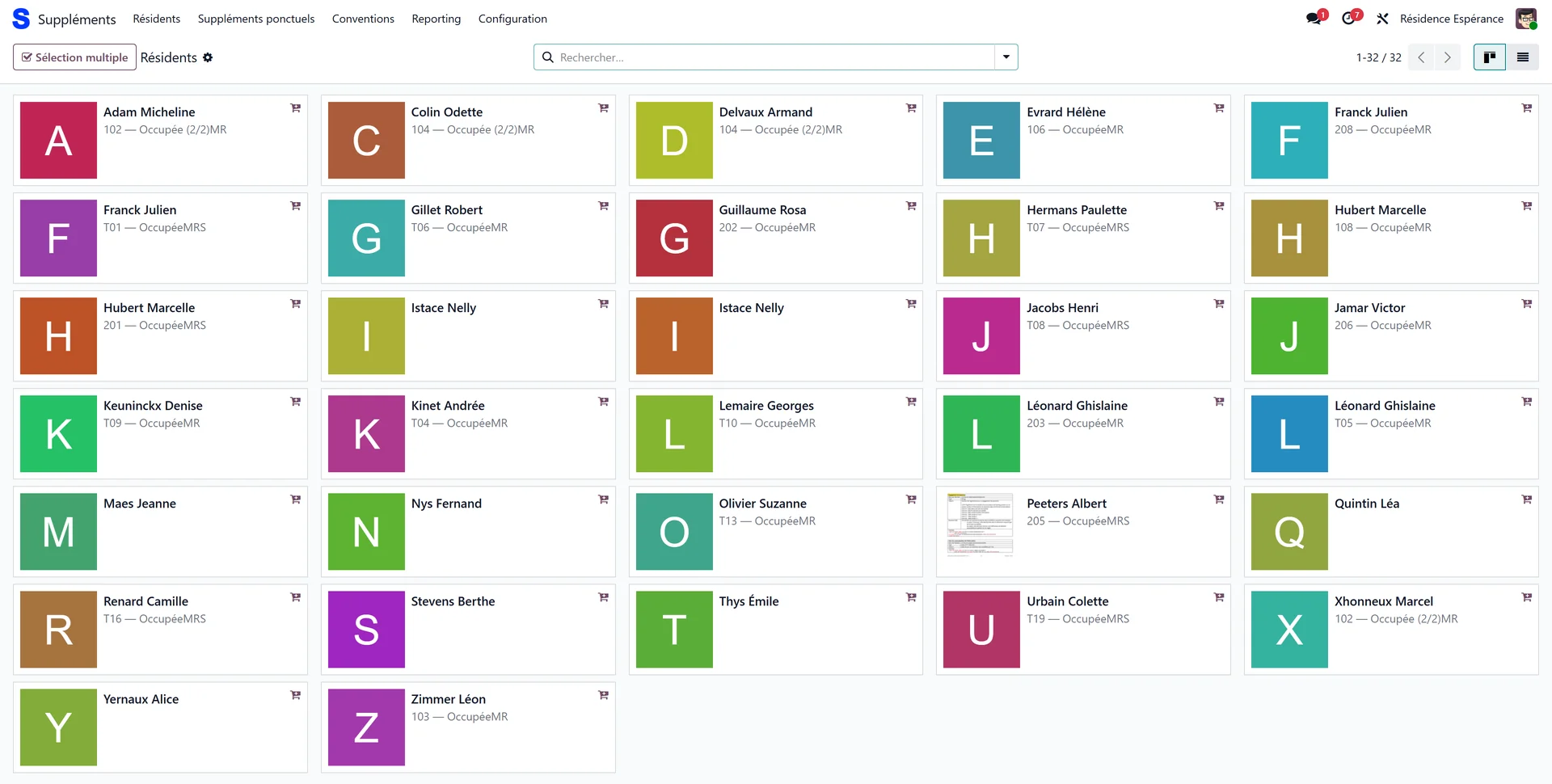
The Residents screen (the starting point)
On opening, the app displays the Residents screen: the list of active residents, in kanban view (cards) or list view. Each card shows the photo, the name, the room and the stay type (the sector of the home the resident is placed in), with a basket icon “Add supplements”.
Click a resident: Resthome directly opens the catalog of their supplements envelope for the current month. You land on the entry grid, without going through the record.
In list view, each row carries an Add supplements button, and the header an Add via the catalog button to act on the checked residents.
Filter and group
The search bar filters by stay type and groups by room or by stay type — handy for quickly spotting a wing or a floor before a bulk entry.
In Belgium
The stay type is MR or MRS, and the search bar offers MR / MRS filters. See Billing a month in Belgium.
Adding supplements to several residents
This is the app’s central shortcut: applying the same supplement to several residents without reopening each record.
On the Residents screen, select several residents:
Ctrl+click (or Cmd+click) on a computer adds/removes a resident; Shift+click extends the selection to a range;
long press on a touch tablet;
or enable the Multiple selection button, which selects on a single click.
Click the Supplements (N) button that appears (N = number of selected residents). In list view, use Add via the catalog.
A single catalog opens. Each supplement you add, modify or remove there is applied to the open envelope of each selected resident, for the current month.
In this shared catalog, the left panel shows a Residents section: the residents concerned appear as tags (the “pilot” resident in grey, the others in green). The Add link lets you add more on the fly; removing a tag takes out the resident (the last one cannot be removed).
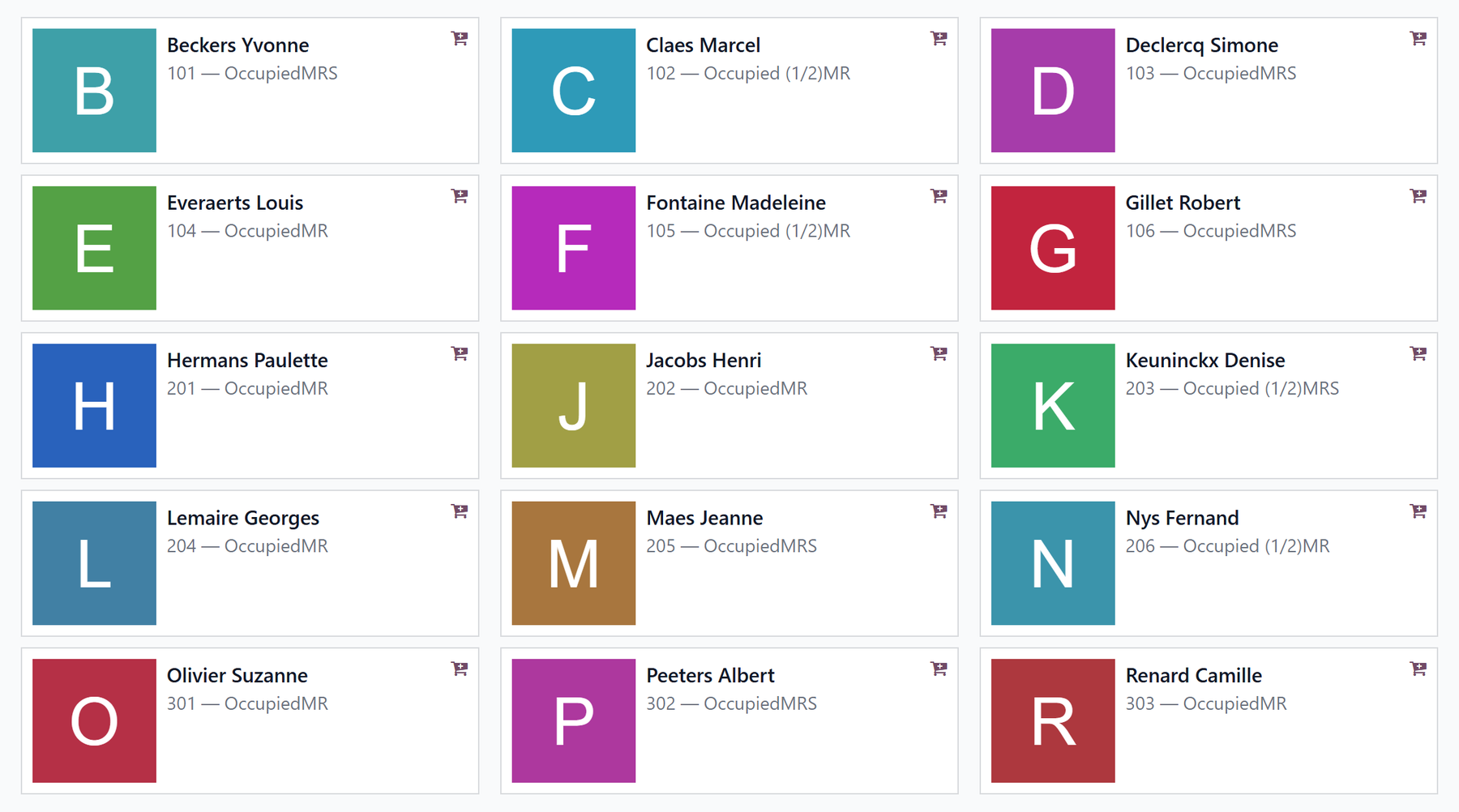
A supplement already covered by a convention is skipped
If one of the selected residents already has this product in an active convention, the line is not added for them (it would be discarded at billing anyway) — the other residents receive it normally. For entry on a single resident, Resthome blocks the addition outright and prompts you to go through the convention.
One-off and recurring supplements
The app distinguishes the two kinds of supplements already presented in Supplements.
One-off — added to the month’s envelope via the catalog (hairdresser, pedicure, drink, phone…). The One-off supplements menu gives the list, grouped by resident, with the period, the product, the quantity, the price and the total. This is the place to review everything entered by hand over the month.
Recurring — renewed each month via a convention (see the next section).
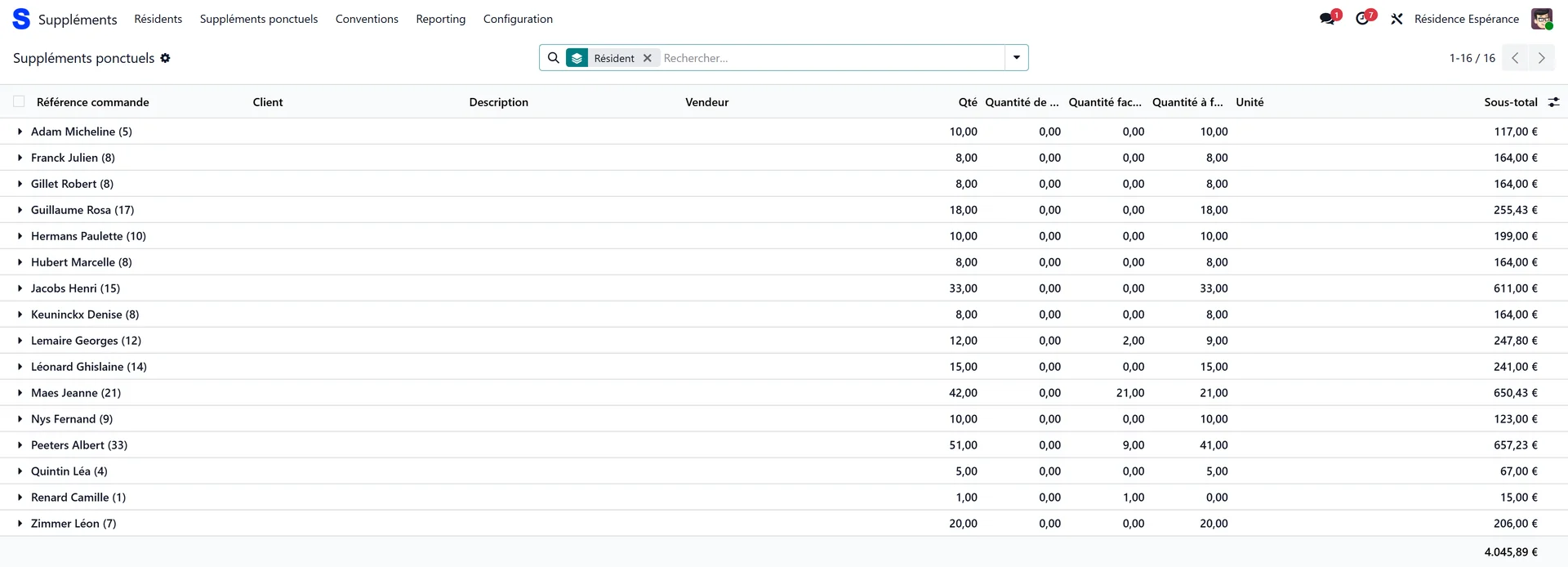
Where did my supplement go?
On each addition, Resthome shows a notification indicating which period(s) the supplement was billed on — or warns you that no open period yet matches its date (it will then only be billed once the relevant month is generated). Check the start date if the supplement does not appear where you expected.
Supplement conventions
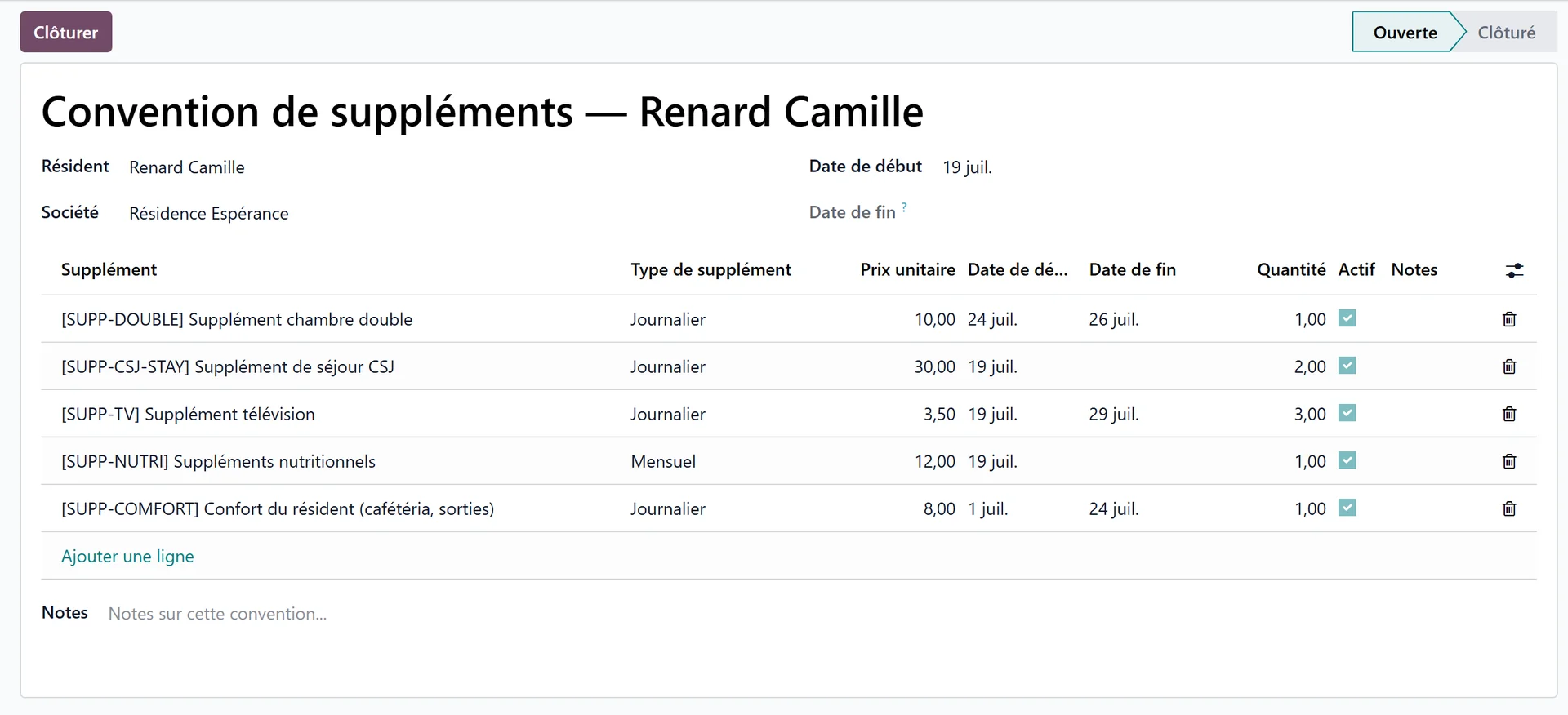
A convention groups a resident’s recurring supplements (single room, TV, phone…). It lives on the resident, not on the stay: it survives a stay closure, a room change or a transfer between sectors. Each resident has one single convention, which gathers all their recurring lines.
In the app, the Conventions menu lists the recurring supplement lines (resident, convention, product, type, dates, quantity, active). The convention itself — with its status and its buttons — is managed from Billing → Facturation → Supplement Conventions.
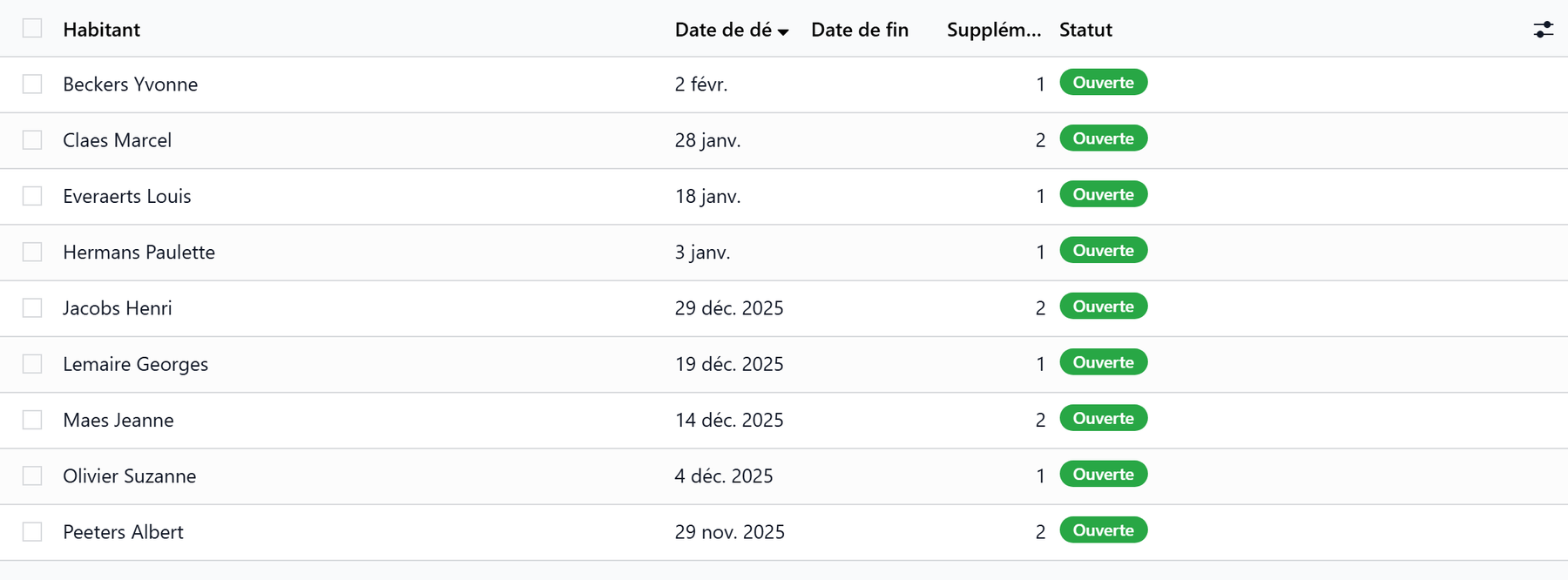
On the convention:
Element |
Role |
|---|---|
Status |
Open or Closed (at the top of the record). |
Close button |
Sets an end date and stops billing each line beyond it. |
Reopen button |
Clears the end date and reactivates the lines that had been closed. |
Lines |
Product, type, price, start date, end date, quantity, active, notes. |
A product under a convention cannot be entered as one-off
As long as a product is covered by an active convention, it cannot be added as a one-off supplement for the same resident. Add it to the convention, or close that convention first.
The supplements catalog
The Configuration → Catalog menu holds the list of billable supplement types (“Supplement types”). Each supplement has:
Field |
Description |
|---|---|
Reference |
Internal code of the supplement. |
Name |
Label shown in the catalog. |
Supplement type |
Daily (billed pro rata over the days), Monthly (per month) or One-off (once). |
Price |
Unit amount — value specific to the facility. |
Declared to the health insurer or not?
Depending on its category, a supplement is either declared to the health insurer with the insurer’s share, where the country requires it, or billed only on the resident’s invoice. This setting is made on the product category — see Billing settings.
In Belgium
The catalog carries an AViQ code field — the declaration pseudo-code of the supplement — and a declared supplement goes into the eFact (ET50 record). See Billing a month in Belgium.
Reporting
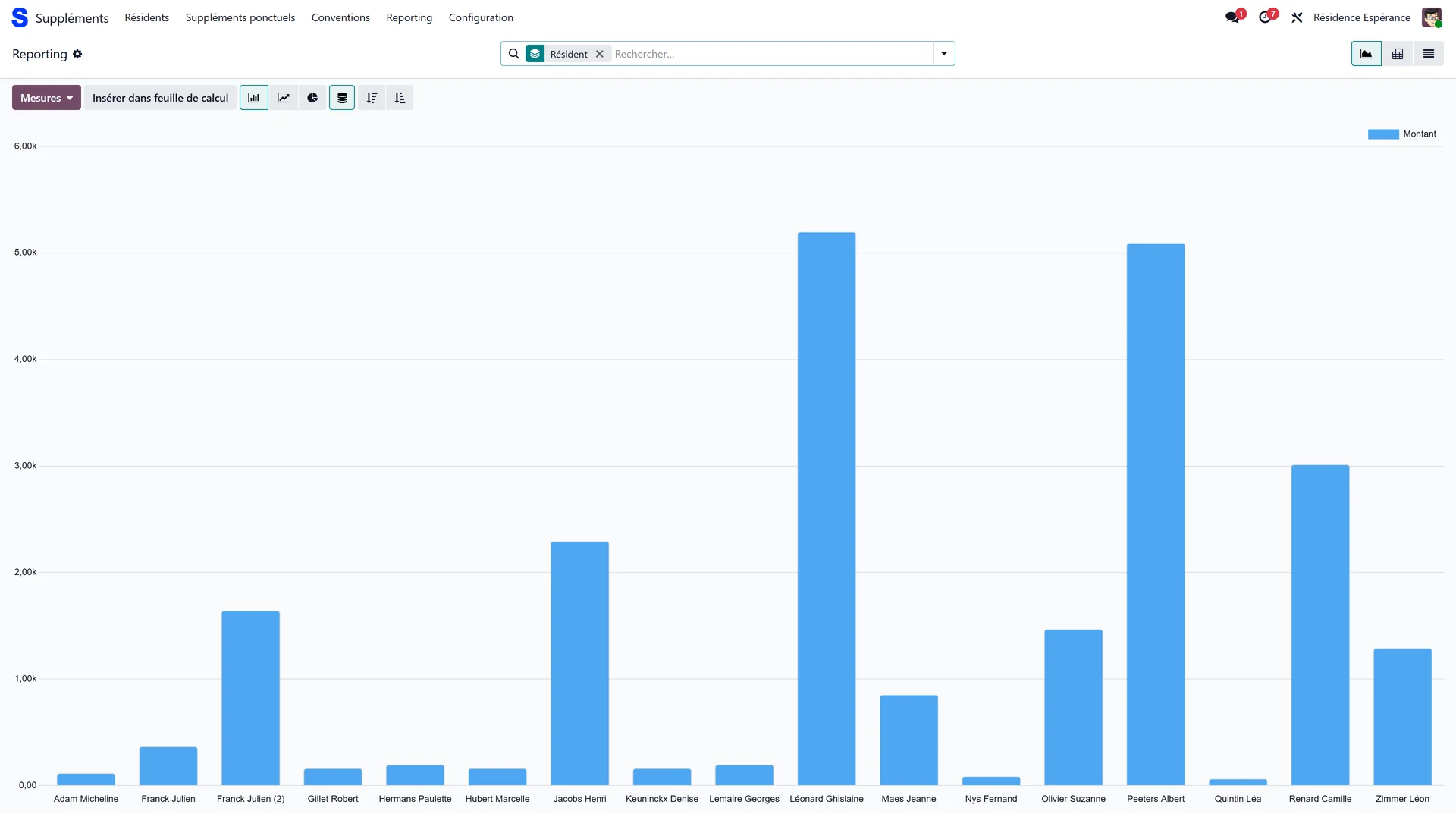
The Reporting menu opens an analysis view of billed supplements:
a graph of amounts per product;
a pivot table (residents × months);
a detailed list of supplement lines.
You can filter between one-off and convention supplements, and group by resident, product or month.
After generation only
Supplements only appear in the reporting once the billing period is generated for the relevant month.
Key points to remember
The Supplements app is a dedicated entry screen; it acts on the same envelopes and conventions as billing — no duplicate data.
The Residents screen is the starting point: click a resident to open their catalog, or select several (Ctrl+click / long press / Multiple selection) then Supplements (N) to serve them all at once.
One-off = once on the envelope; convention = recurring, on the resident, surviving stay changes.
A product under an active convention cannot be entered as one-off.
The catalog carries the type and the price (value specific to the facility); the reporting tracks amounts per resident, product and month.