The Katz Assessment
The Katz scale measures a resident’s degree of dependency. It is what determines their care category and therefore the INAMI allowance reimbursed by the mutuelle. In Resthome, data entry is guided and the calculation is automatic.
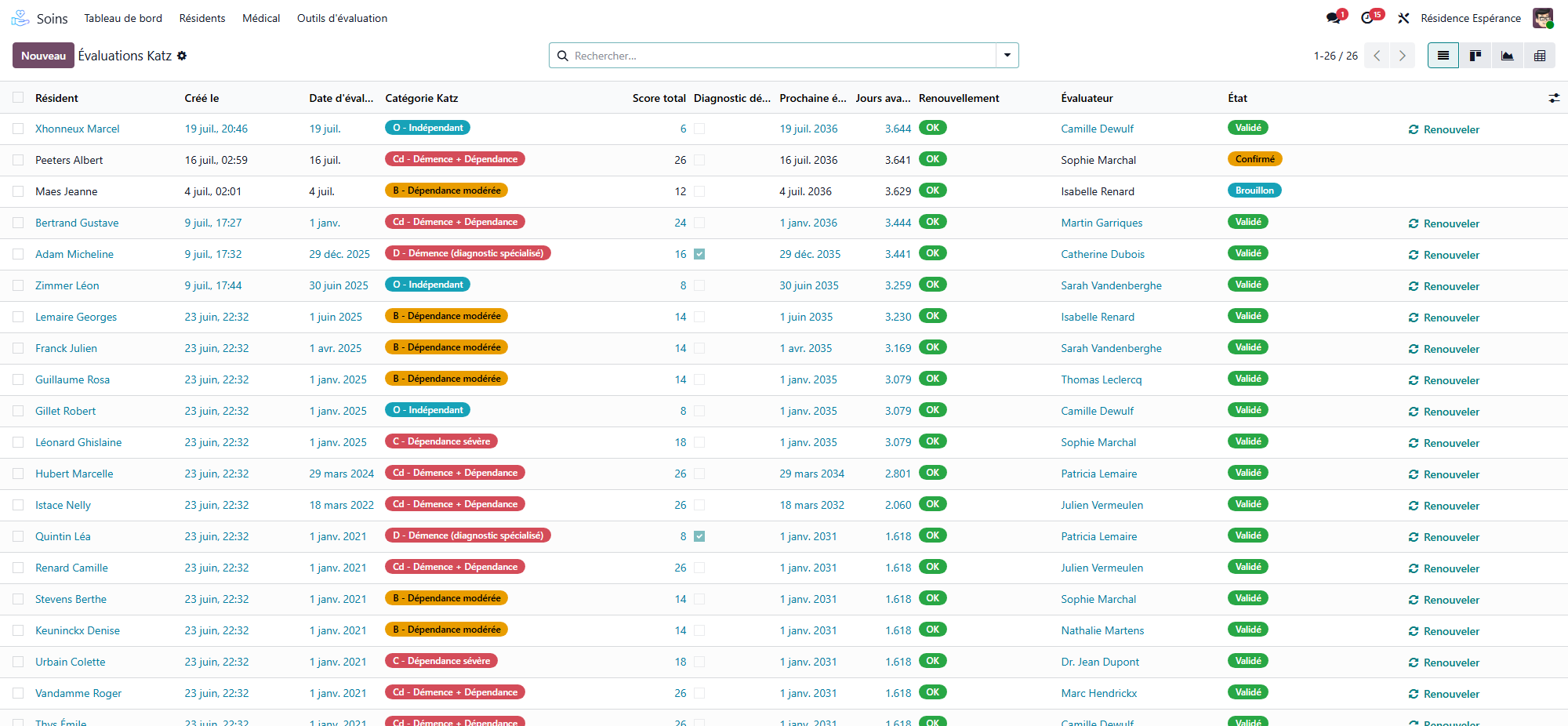
The 6 criteria
Each criterion is rated from 1 (independent) to 4 (fully dependent):
Washing
Dressing
Transfers and mobility
Using the toilet
Continence
Eating
From these ratings, Resthome calculates the category in accordance with the regulations.
The categories
Category |
Meaning |
|---|---|
O |
Independent |
A |
Mild dependency |
B |
Moderate dependency |
C |
Severe dependency |
Cd / Cc |
Severe dependency with disorientation / special cases |
The allowance is the same for every category
Under the AViQ tariffs, the amount of the dependency allowance is identical for every category, including O. The category does not change the amount: it serves to declare the correct profile to the mutuelle (see The INAMI allowance).
Category O by default
As long as no validated Katz exists, the resident is in category O by default, and a “Katz to do” reminder appears on the dashboard. Validate the Katz to declare the correct category to the mutuelle.
Entering an assessment
From the resident’s record, open Katz (button or assessment tools).
New: rate the 6 criteria.
Confirm then Validate the assessment.
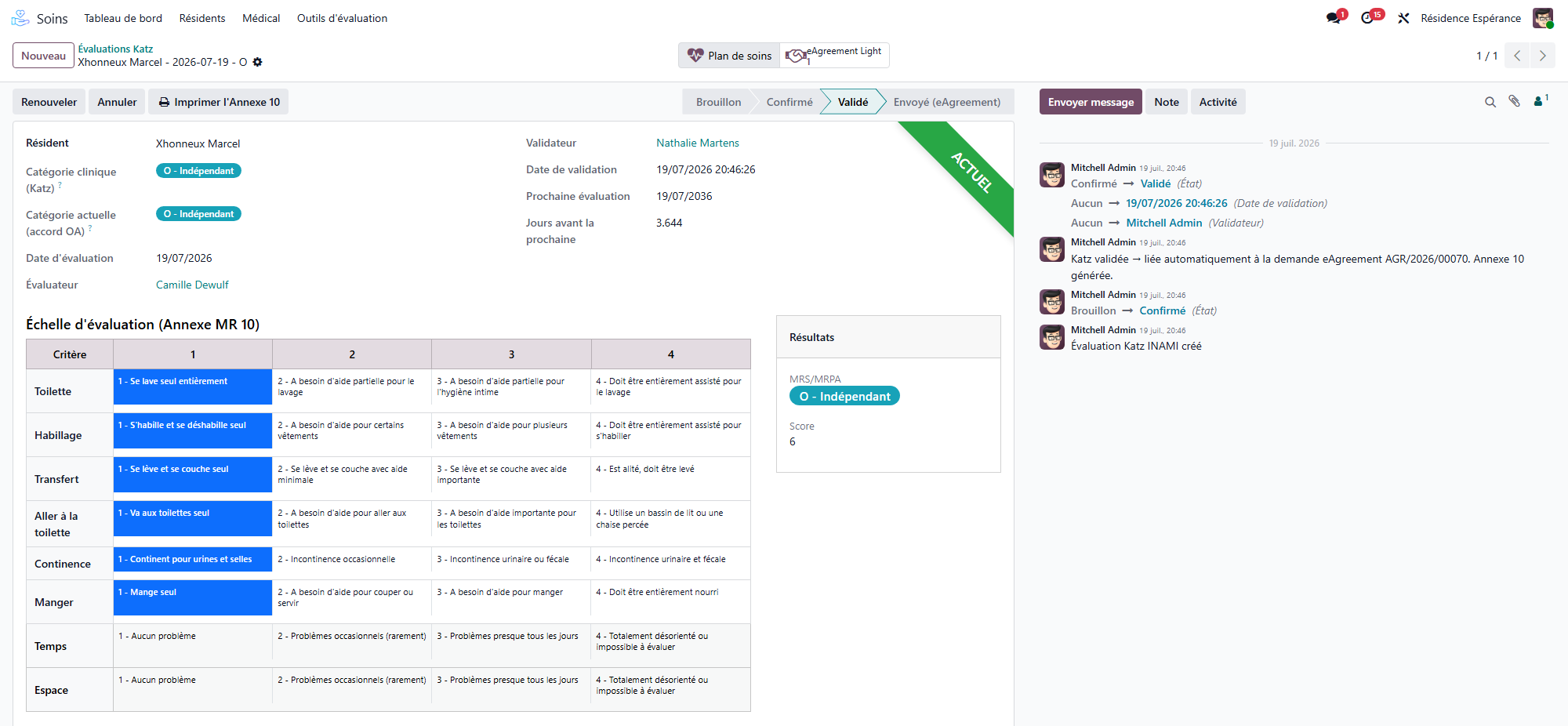
The category and the allowance are updated automatically for billing.
What Resthome does for you
On validation, Resthome links the assessment to billing (the allowance) and, where applicable, prepares the care agreement with the mutuelle. You don’t have to re-enter the category anywhere else.
Renewal of the assessment
A Katz assessment has its own renewal cycle: each validated assessment carries a next assessment date, and the list shows a renewal indicator per resident. When the due date approaches or passes, a reminder appears on the dashboard; the care dashboard counts the Katz assessments to renew and the missing ones. To renew, enter a new assessment — the history is kept.
Worsening during the stay
If the resident’s condition deteriorates, enter a new assessment with a worsening reason. Resthome then prepares the update of the agreement (Annexe 10): the reason you entered is carried over automatically, and the clinician’s signature completes the document.
When the category no longer matches the bed
An MRS bed only takes categories B and above. A resident assessed at O or A belongs in an MR bed. Resthome refuses to put or keep a stay in MRS for a resident assessed at O or A — at admission and at transfer time. A room change is not blocked, though: the resident can still be moved from one room to another while the banner below stays up.
Nothing stops a resident’s condition from improving — and when a new assessment comes out at A while they occupy an MRS bed, Resthome says so instead of letting it pass. The banner appears as soon as you validate the assessment, and stays on the resident’s record until the sector is changed:

The Internal transfer button on the banner opens the transfer wizard with the destination already set to MR — see Room change and transfer.
The same signal follows the resident everywhere they are listed. On the board, the card carries an MRS → MR badge:
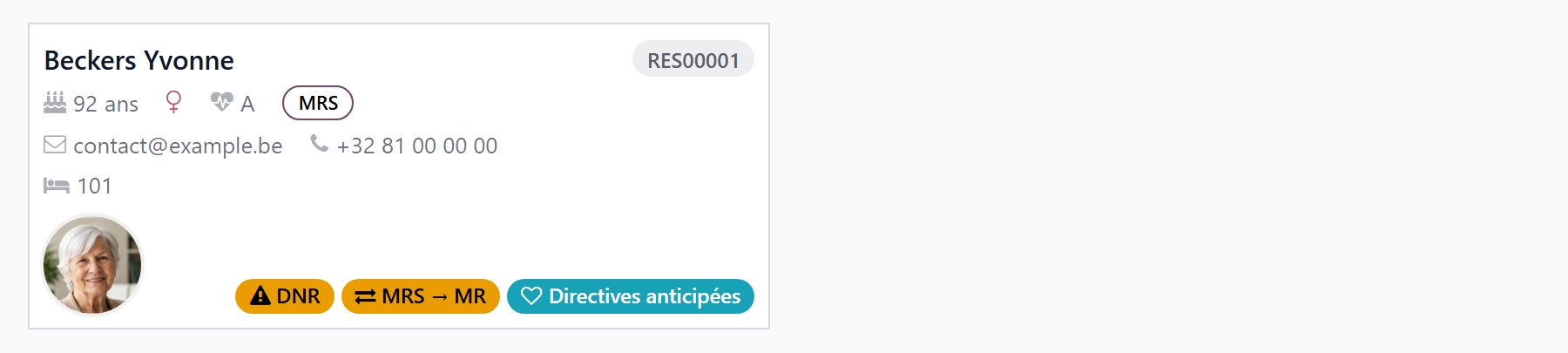
And the residents list has a Sector to be changed filter, to see everyone waiting for a transfer in one go:
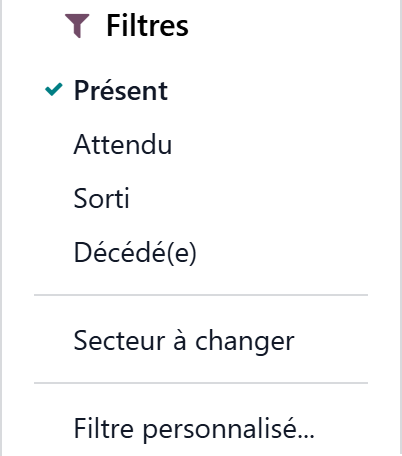
What this changes for billing
Until the transfer is done, the stay is still declared to the mutuelle in MRS, with a category that sector does not accept. The banner is a task, not an informational note: the sooner the transfer is entered, the shorter the period to correct.
Learn more
The INAMI allowance (dependency) — from category to billed amount.
Geriatric assessments — the international scales beside Katz.