Notebook, documents and invoices
The liaison notebook
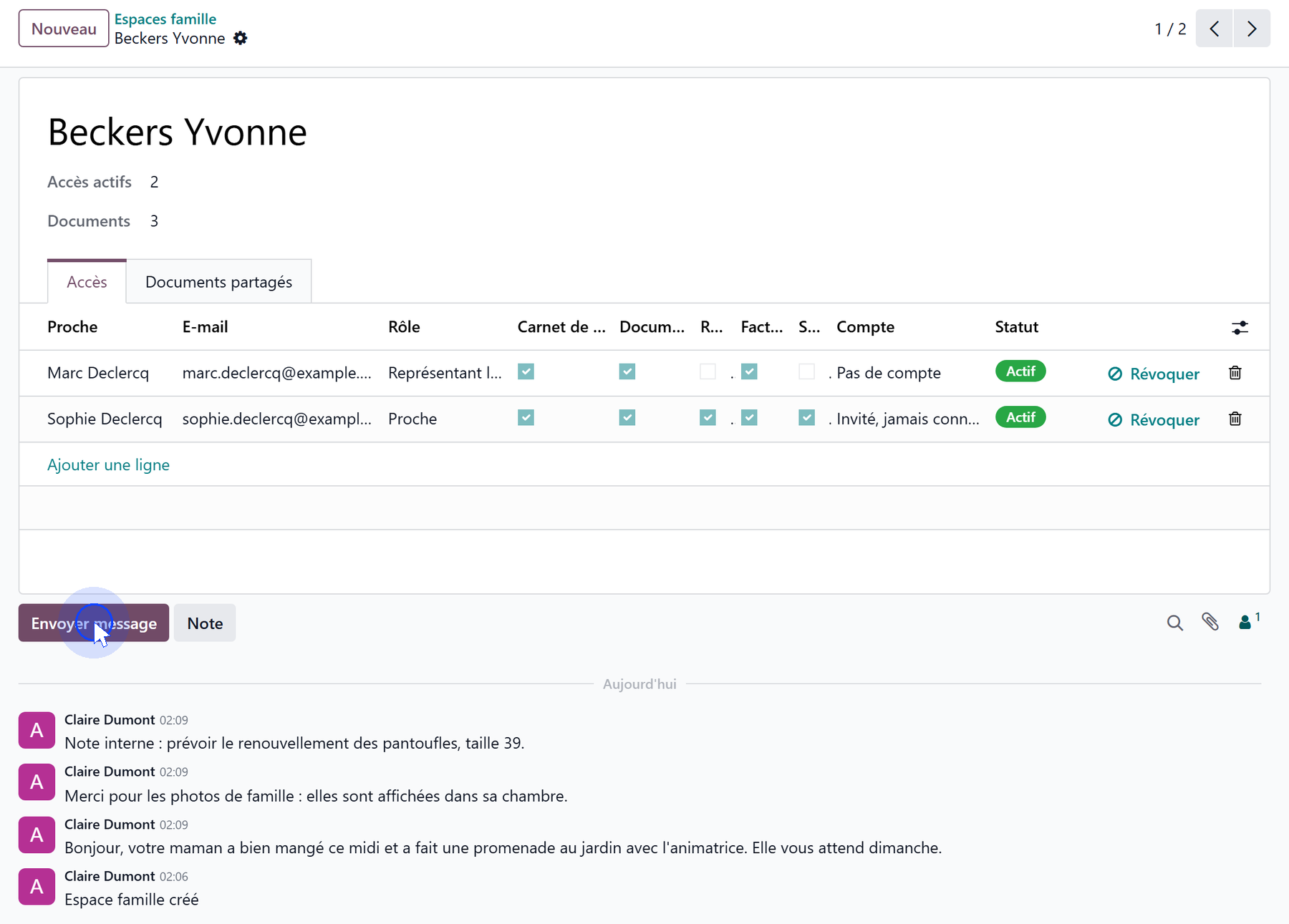
The resident’s family space carries the notebook. It is the discussion thread of that space:
a message reaches the relatives who hold the Liaison Notebook scope, and appears on their portal;
an internal note stays with the team.
Relatives can answer: their reply comes back into the same thread, and the team reads it there.
Shared documents
Documents are added to the family space, in the Shared Documents tab: a date, a title, a category, the file, and a note for the family.
The category decides who sees the document:
Category |
Shown to a relative who has |
|---|---|
Administrative, Other |
Documents |
Billing |
Invoices |
Care |
Health — and therefore a recorded consent |

Invoices
A relative with the Invoices scope sees the resident’s posted invoices: number, date, due date, amount and status — Paid, Partially paid or To pay — and can download the PDF.
A debtor’s own invoices
A relative who pays a share under split billing receives their own invoices, which they find in their portal as any customer would. That does not depend on the family portal.