Cares
The Cares screen lists the cares planned for the day in the chosen sector, grouped by period, then resident by resident with the face and the room.
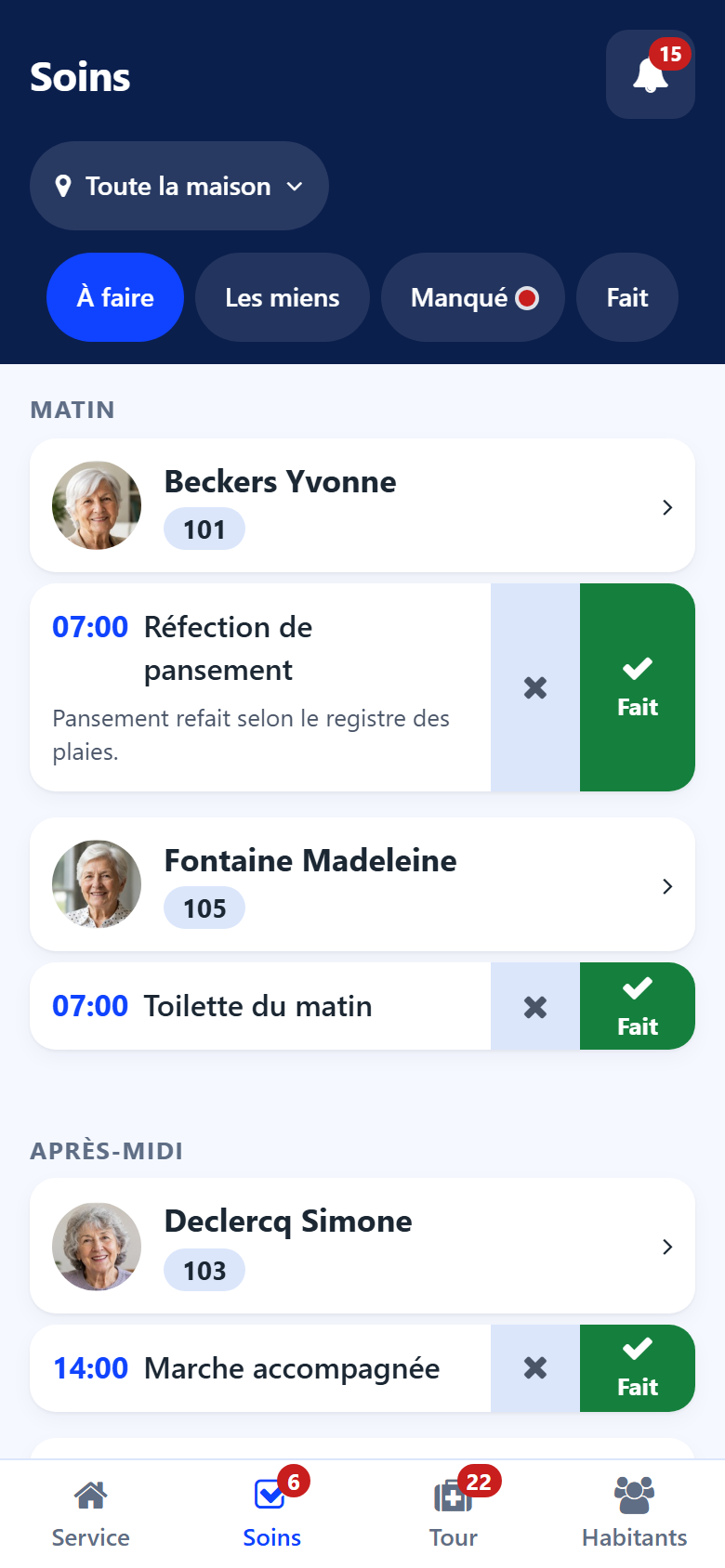
Tabs
To do — the cares still to carry out today.
Mine — the cares assigned to you.
Missed — the cares not done over the last days. A red dot on the tab says some are waiting.
Done — the cares closed today.
Marking a care done
Tap Done on the care line. The care leaves the To do tab and appears in Done. A wrong tap is taken back with Undo, offered for a few seconds.
Recording a care not done
Tap the cross next to the care.
Write why, in your words: resident asleep, refused, away…
Tap Mark missed.
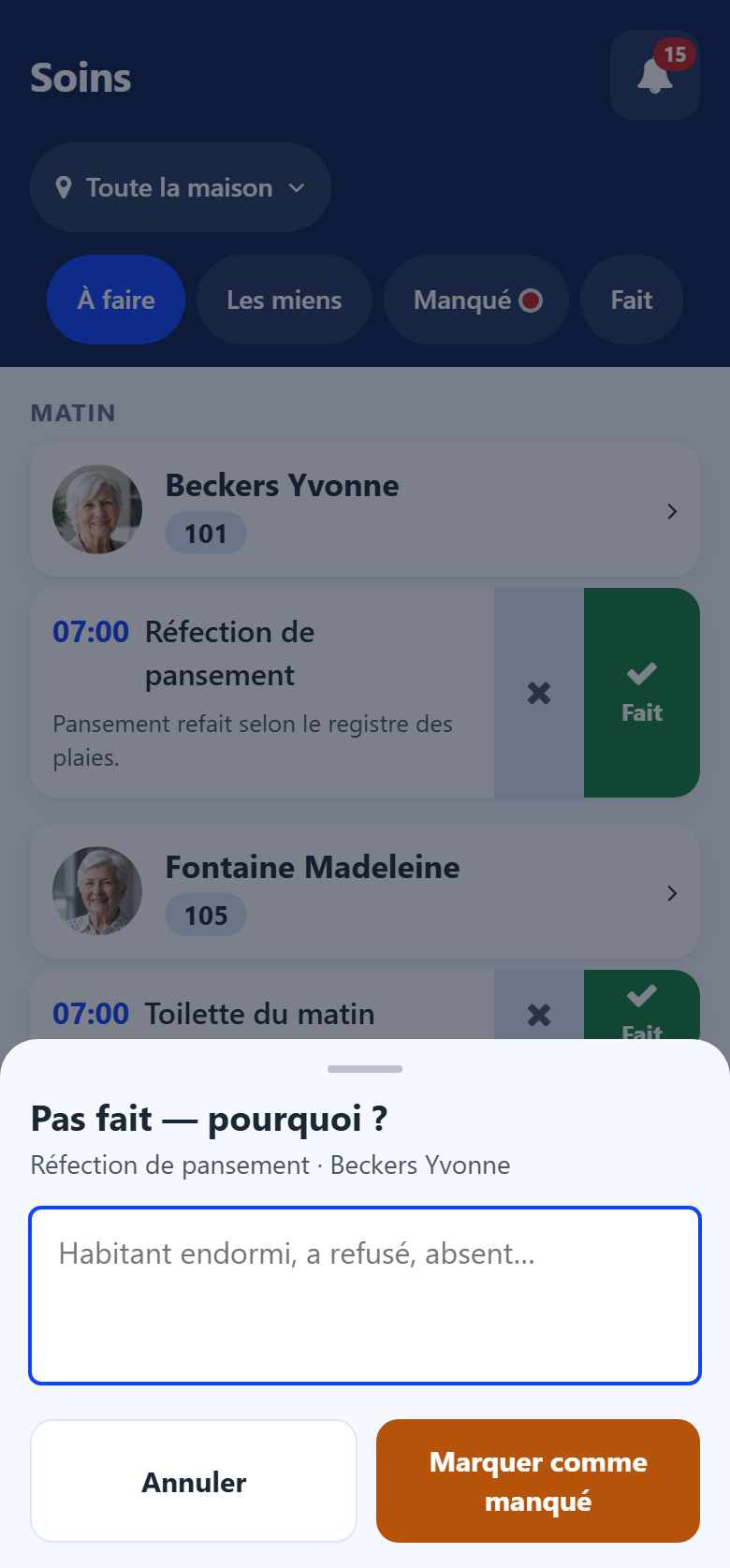
The reason is kept on the care: the head nurse reads it in the back office.
Note
A care planned in a care plan and never ticked is marked missed automatically at night. It then appears in Missed and in the Missed cares counter of the Shift screen.