The move-in procedure
At every new stay — admission, room change, internal transfer or readmission — Resthome automatically opens the resident’s move-in procedure: a checklist of administrative activities on the resident’s thread, and the room preparation on the technical side. Nothing to trigger by hand: the tasks appear in the activities of the relevant managers and on the corresponding threads.
You choose these managers in Settings ▸ Nursing Home ▸ Accommodation.
graph LR
  A[New stay] --> B[Move-in checklist — resident's thread]
  A --> C[Room preparation — room's thread]
An optional automation
Both automations trigger only if the corresponding manager is set in the settings. As long as a field is empty, the automation stays silent — handy for a data import or a gradual roll-out.
What triggers at every new stay
As soon as a stay is created (by the admission wizard, the conversion of a CRM opportunity, or a room change / transfer), Resthome schedules both parts of the procedure at the same time. The deadline of every activity is the stay’s start date.
Event |
Resident checklist |
Room preparation |
|---|---|---|
Initial admission |
6 tasks |
Prepare the new room |
Room change |
6 tasks |
Prepare the new room and put the old one back in order |
Internal transfer (between sectors) |
6 tasks |
Prepare the new room and put the old one back in order |
Readmission |
6 tasks |
Prepare the room (no putting back in order — the old one was already freed) |
No duplicates
The activities are idempotent: if you save the stay again, Resthome does not stack an identical activity that is already open. A cancelled stay, or one without a room or a resident, generates no task.
The move-in checklist (six tasks)
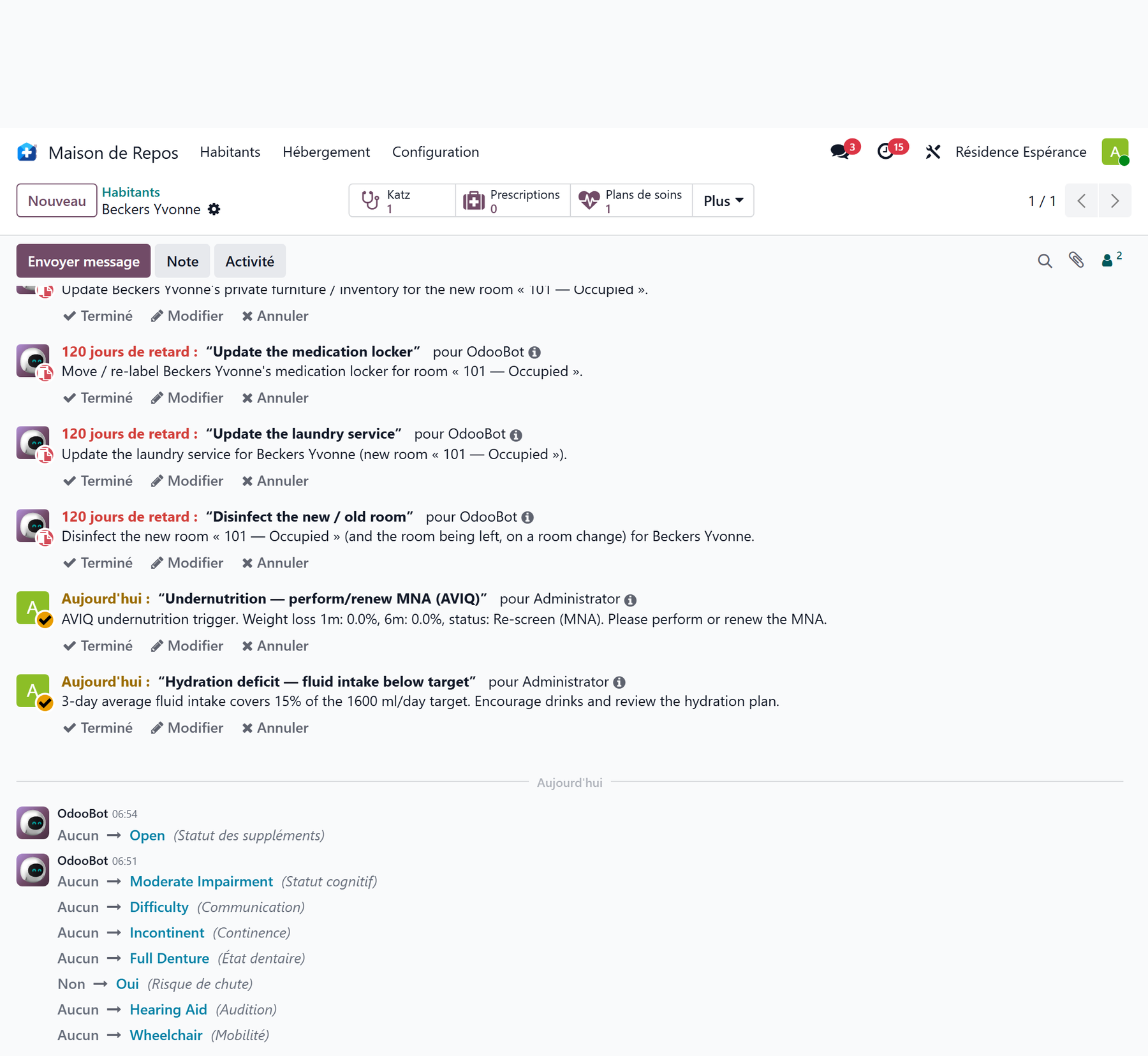
The checklist is scheduled on the resident’s thread (activity type Move-in procedure), assigned to the Move-in Procedure Manager. It has six tasks:
Task |
What it is for |
|---|---|
Sign the agreement with the resident’s representative |
Have the accommodation agreement signed with the reference person |
Entry / exit condition report (état des lieux) |
Draw up the joint condition report of the room (see The condition report) |
Update the resident’s private inventory |
List the private furniture brought in for the new room (see Furniture) |
Update the medication locker |
Move / re-label the room’s medication locker |
Update the laundry service |
Update the resident’s laundry service |
Disinfect the new / old room |
Disinfect the arrival room (and the old one, on a room change) |
Tick what applies
The list is the same for a first admission and for a room change. The manager marks as done or deletes the steps that do not apply — for example, there is no old room to disinfect on a first entry.
Room preparation
In parallel, Resthome schedules the room preparation on the room’s thread (activity type Room preparation), assigned to the Rooms Technical Manager:
Prepare the room — arrival of …: always scheduled on the arrival room, on the stay’s start date.
Put the room back in order — departure of …: scheduled on the room being left, only on a room change or an internal transfer (where the resident actually frees an occupied room).
No putting back in order on entry or readmission
The « Put the room back in order » activity is not created for a first admission (no previous room) or for a readmission (the old room was already freed and cleaned at the previous departure).
Setting the managers
Both automations rely on two configuration fields, specific to your institution. Go to Settings ▸ Nursing Home ▸ Accommodation:
Move-in Procedure Manager — the user who receives the resident’s checklist (the 6 tasks above). Leaving it empty disables the checklist.
Rooms Technical Manager — the user who receives the room preparation and putting back in order activities. Leaving it empty disables these activities.
No manager, no activities
If a field stays empty, the corresponding automation creates no activity. Set at least the Move-in Procedure Manager to benefit from the checklist at every new stay.
Key points to remember
The move-in procedure triggers automatically when any new stay opens: admission, room change, internal transfer, readmission.
It has two parts: a 6-task checklist on the resident’s thread and the room preparation on the room’s thread.
Every activity is due on the stay’s start date and is assigned to the configured managers.
The six tasks: agreement, condition report, private inventory, medication locker, laundry, disinfection — the manager closes or deletes those that do not apply.
You set the managers in Settings ▸ Nursing Home ▸ Accommodation; an empty field disables the corresponding automation.