Resident documents
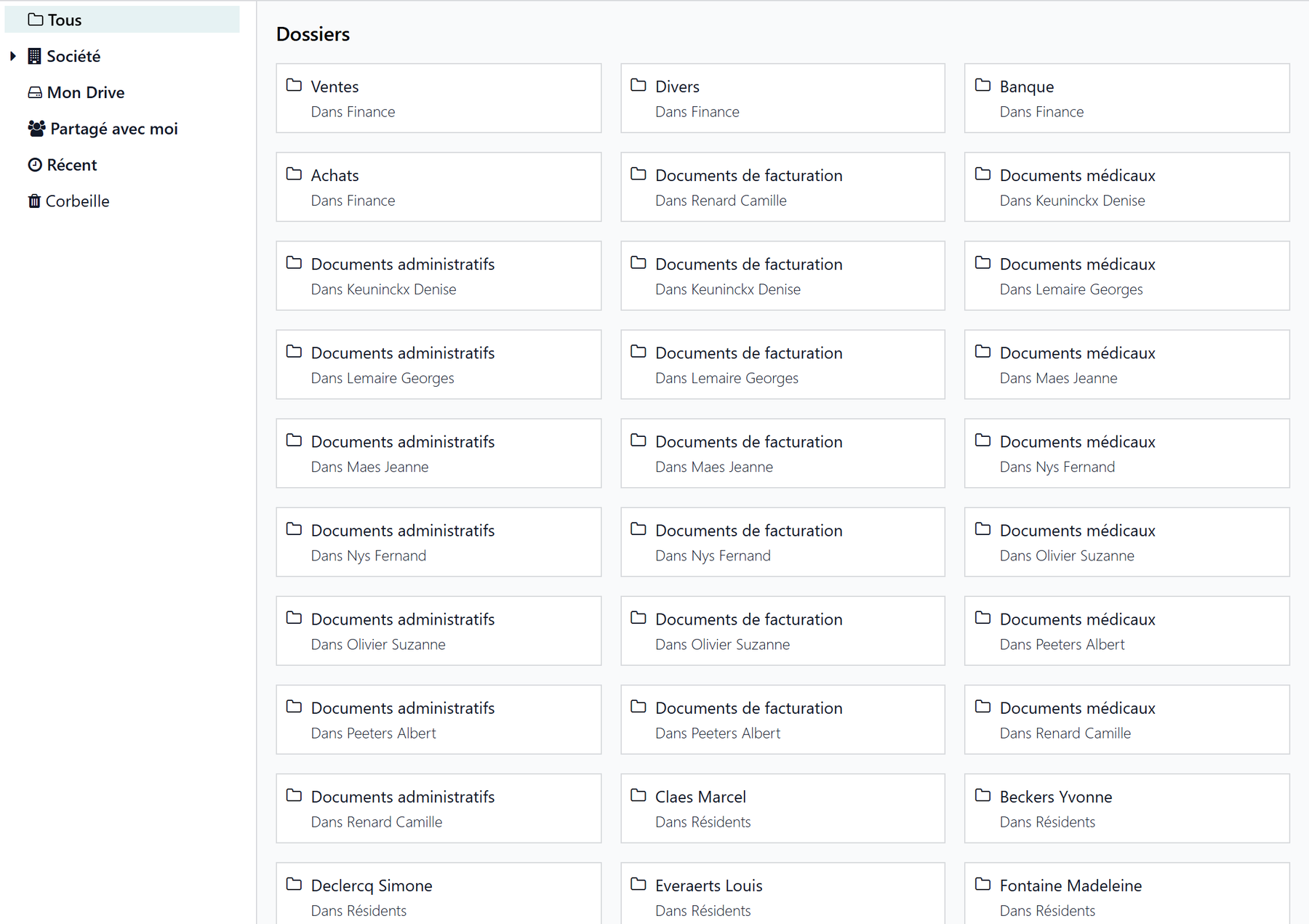
For each resident, Resthome maintains a document folder stored in Odoo’s Documents app. You have nothing to create or file by hand: the folder, its subfolders, and the filing are automatic. You access it from the Documents button on the resident’s record, or from the Documents → Residents app.
Prerequisite
This feature relies on Odoo’s Documents app: it must be installed. Once enabled, the resident folders and tags are set up automatically — you have nothing to prepare.
One folder per resident, created automatically
As soon as a resident is created (or as soon as their record becomes a resident record), Resthome creates their personal folder under the “Residents” root folder, with three ready-to-use subfolders:
graph TD
  A[Residents] --> B[Blank forms]
  A --> C[Resident name]
  C --> D[Medical documents]
  C --> E[Administrative documents]
  C --> F[Billing documents]
Subfolder |
What goes in it |
|---|---|
Medical documents |
The resident’s assessments, forms, and medical items. |
Administrative documents |
Convention, ID documents, agreements, letters. |
Billing documents |
Invoices and items related to the resident’s billing. |
The folder is named after the resident’s name and renames itself automatically if the name changes. Folders are sorted alphabetically, which keeps them easy to browse in the Documents app.
Protected folders
Automatically created folders are protected from deletion: a standard user can drop documents into them and view them, but cannot delete the folder itself. This keeps you from accidentally losing a resident’s entire document structure.
The “Documents” button on the record
On the resident’s record, a “Documents” smart button shows the number of files stored in their folder. The counter adds up the documents in the folder and its subfolders (the subfolders themselves are not counted). Clicking the button opens the resident’s personal folder directly in the Documents app.
Only for Documents app users
The button only appears for users who have access to the Documents app. Others still see the resident record normally, without the shortcut.
Folders created at the facility level
When the company (the facility) is created, Resthome automatically sets up two folders at the top of the Documents app:
Residents — the root folder that contains all resident folders.
Blank forms — a subfolder for your templates and documents to fill in (standard conventions, blank medical forms, etc.).
Separated by facility
In multi-company, each facility has its own root folder “Residents” and its own “Blank forms” folder. Documents therefore stay separated from one home to another.
Predefined tags
Resthome provides a list of ready-to-use tags for categorizing documents and finding them by filter in the Documents app:
Tag |
Typical use |
|---|---|
Medical form |
Medical forms and documents. |
Stay agreement |
The agreement signed with the resident. |
Billing |
Invoices and billing items. |
GDPR consent |
Consents and privacy-related documents. |
End of stay |
End-of-stay / departure documents. |
The other predefined tags are for documents that follow the country’s rules: the dependency assessment, the agreements and decisions of the health insurer, and the coverage granted by a public welfare body.
In Belgium
These tags are Katz evaluation, MR/MRS agreement (eAgreement), OA allocation and CPAS. See Care in Belgium.
Apply tags automatically
You can have one or more of these tags applied automatically to every centralized document, through the Default tags field in the settings. See Document settings.
Automatic filing of attachments
Beyond the folders, Resthome can automatically centralize attachments dropped on a resident’s record: they land directly in their personal folder, with no manual filing. This behavior is set in the configuration.
Learn more
The detailed behavior, use cases, and activation are described on the Document centralization page.
Key points to remember
Each resident has an automatic personal folder with three subfolders: medical, administrative, billing.
The folder follows the resident’s name and renames itself; folders are protected from accidental deletion.
The record’s “Documents” button opens the folder and counts the files, subfolders included.
At the facility level, Resthome creates the “Residents” and “Blank forms” folders, separated per company.
Predefined tags (medical form, stay agreement, billing, GDPR consent…) make filtering easier, and can be applied automatically.