Medication round
The Round screen shows the doses to give at each moment of the day, taken from the prescriptions entered in the back office.
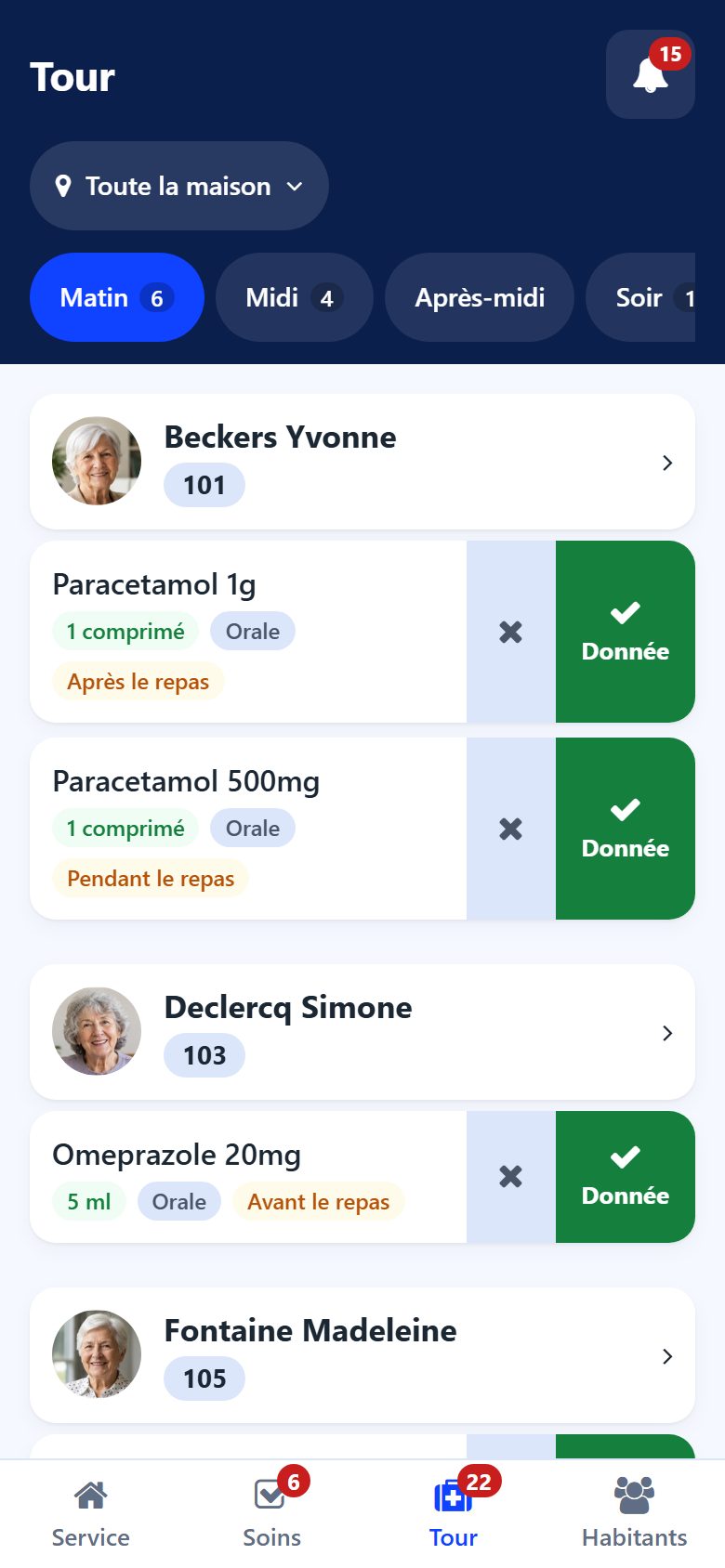
Moments of the day
The tabs at the top are the moments of the round (morning, noon, afternoon, evening, night). A number gives the doses still to give; a red dot says doses of that moment were missed.
What a dose shows
the medication and the dose;
the route (oral, sublingual…) and the moment relative to the meal;
the special instructions of the prescription.
Recording a dose given
Tap Given. The line then shows the status, the time and who gave it.
Recording a dose not given
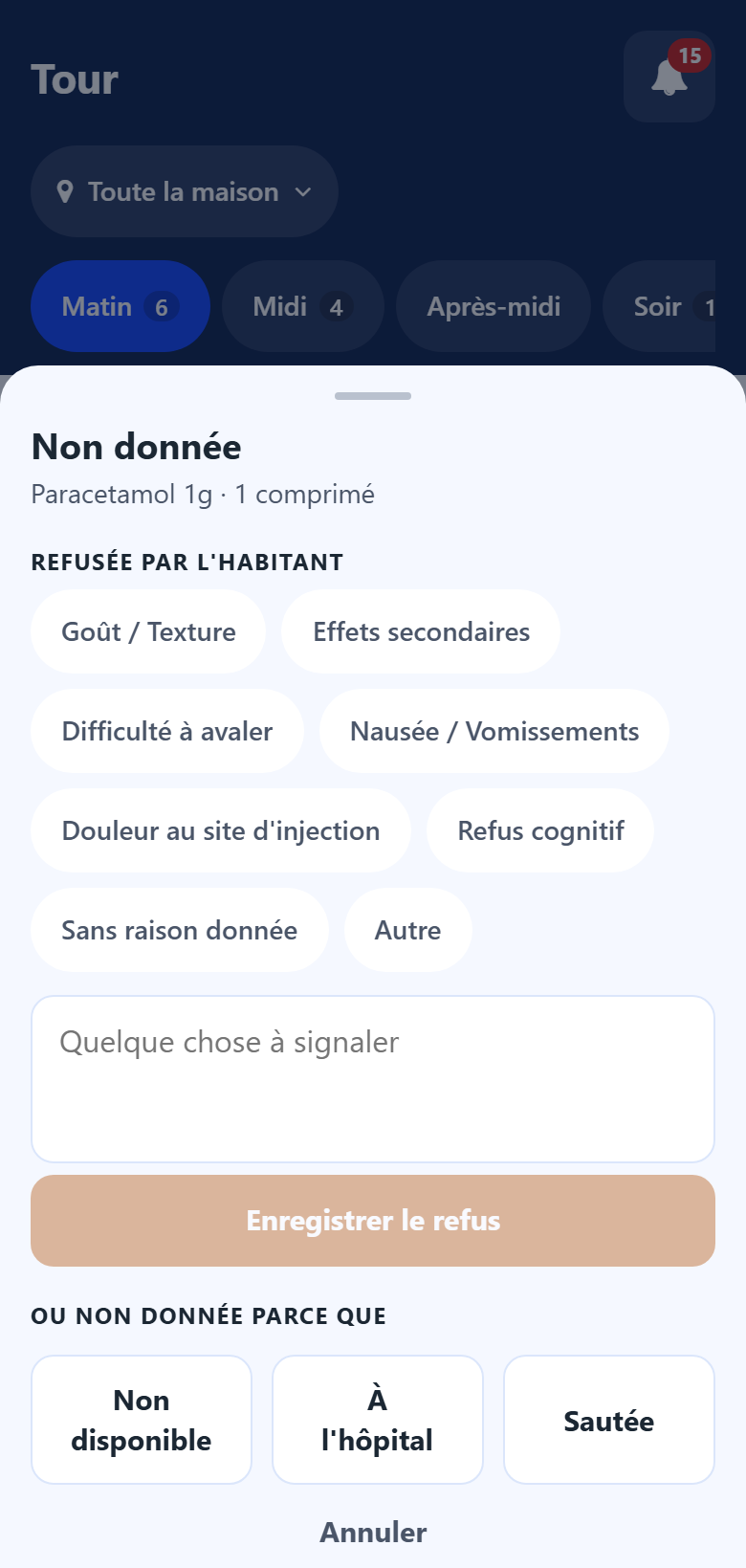
Tap the cross next to the dose.
Choose:
under Refused by the resident, the reason of the refusal, add a remark if useful, then tap Record refusal;
or, under Or not given because, Not available, In hospital or Skipped.
Note
The administrations recorded here are the same as in the back office: they feed the resident’s history and the refusal counters of the prescription. See Prescriptions.