Recording attendance
The attendance register is what the whole day care centre rests on: it decides the forfait, the day price and the care. It holds one line per user and per day, with the arrival and departure hours.
The day’s register
Accommodation → Day care register opens the register of one day: every day care user whose stay runs that day (1). The days already recorded come marked Present, with their hours.
Switch on Present for the users who came.
Enter their arrival and departure hours: without them, the day earns no forfait.
Click Save the register.
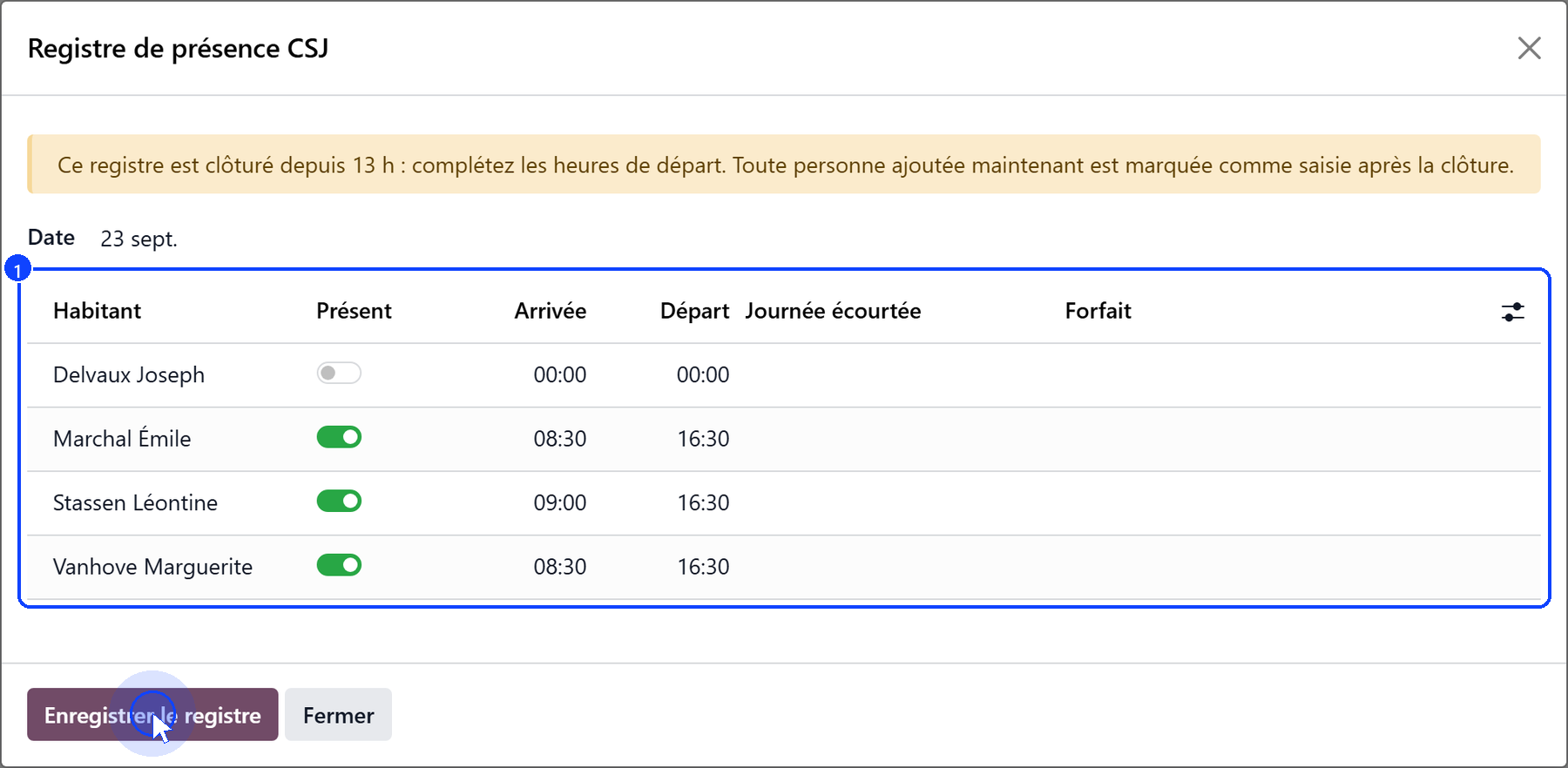
Switching Present off removes the user’s day. From 13:00 the banner says the register is closed to arrivals: the departures can still be completed, and a user added now is marked as recorded after the closure.
One day for one user
On the user’s file, Add a day of attendance opens a dialog for a single day — the right tool to catch up a fortnight for one person.
Choose the Date (1): today by default.
Check Arrival and Departure (2): they start from the centre’s hours.
If a hospitalisation or a death interrupted the day, choose it under Day Cut Short (3).
Read the verdict before saving (4): the forfait is due, or the reason it is not.
Click Save, or Save and next day to move on to the following day.
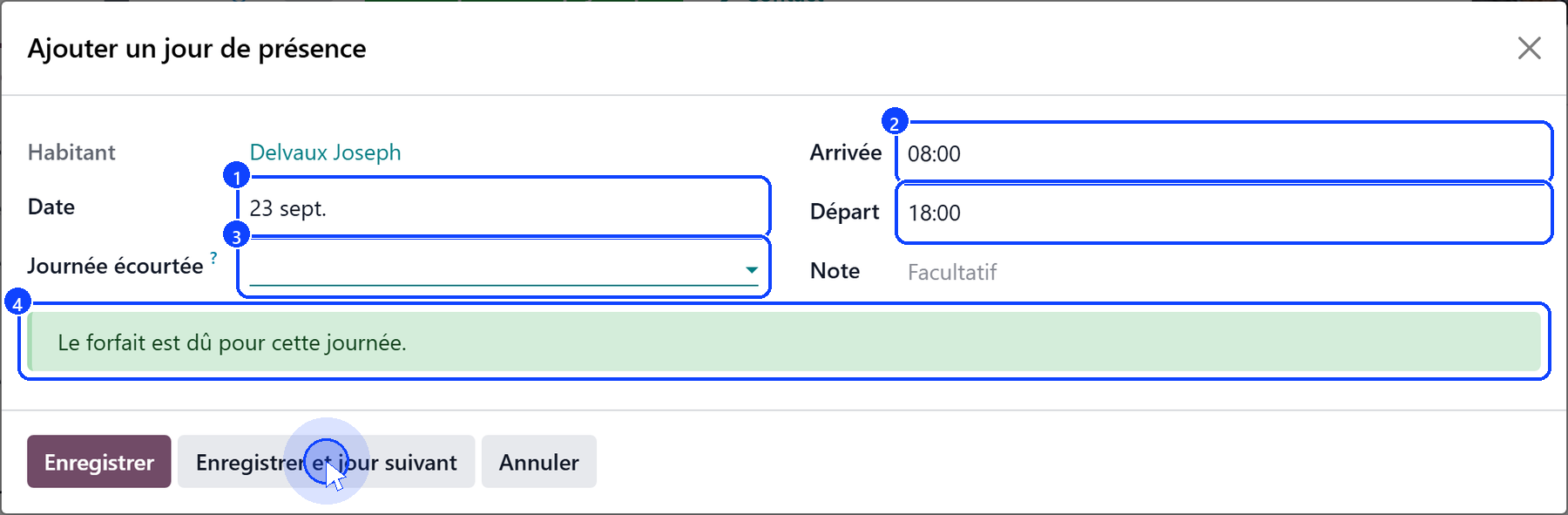
A day already in the register is loaded, never doubled: saving updates it.
The next day always starts blank, on the centre’s hours.
A notification confirms each day saved, and says whether the forfait is due.
A day that earns the forfait
A day earns the forfait when the user:
stayed at least 6 hours, and
arrived by 12:00;
or when the day was cut short by a hospitalisation or a death, however short. Otherwise the register says why: Less than 6 hours, Arrived after 12:00, or Arrival or departure time missing.
A day that earns no forfait is still recorded: the user came, and the centre bills them its day price.
The 13:00 closure
Before 13:00, the register of the day is open.
From 13:00, it is closed to arrivals; departures can still be entered.
A past day can only be amended by a manager, and every change is kept in the audit log.
A line added after the closure is marked Recorded after closure.
Once the register has closed, its silence is an answer: a user who was expected and not marked present did not come that day.
The history
Accommodation → Day care attendance lists the days recorded, with the filters Today, This month, Forfait not due, Recorded after closure and Centre closed that day, grouped by resident or by day.
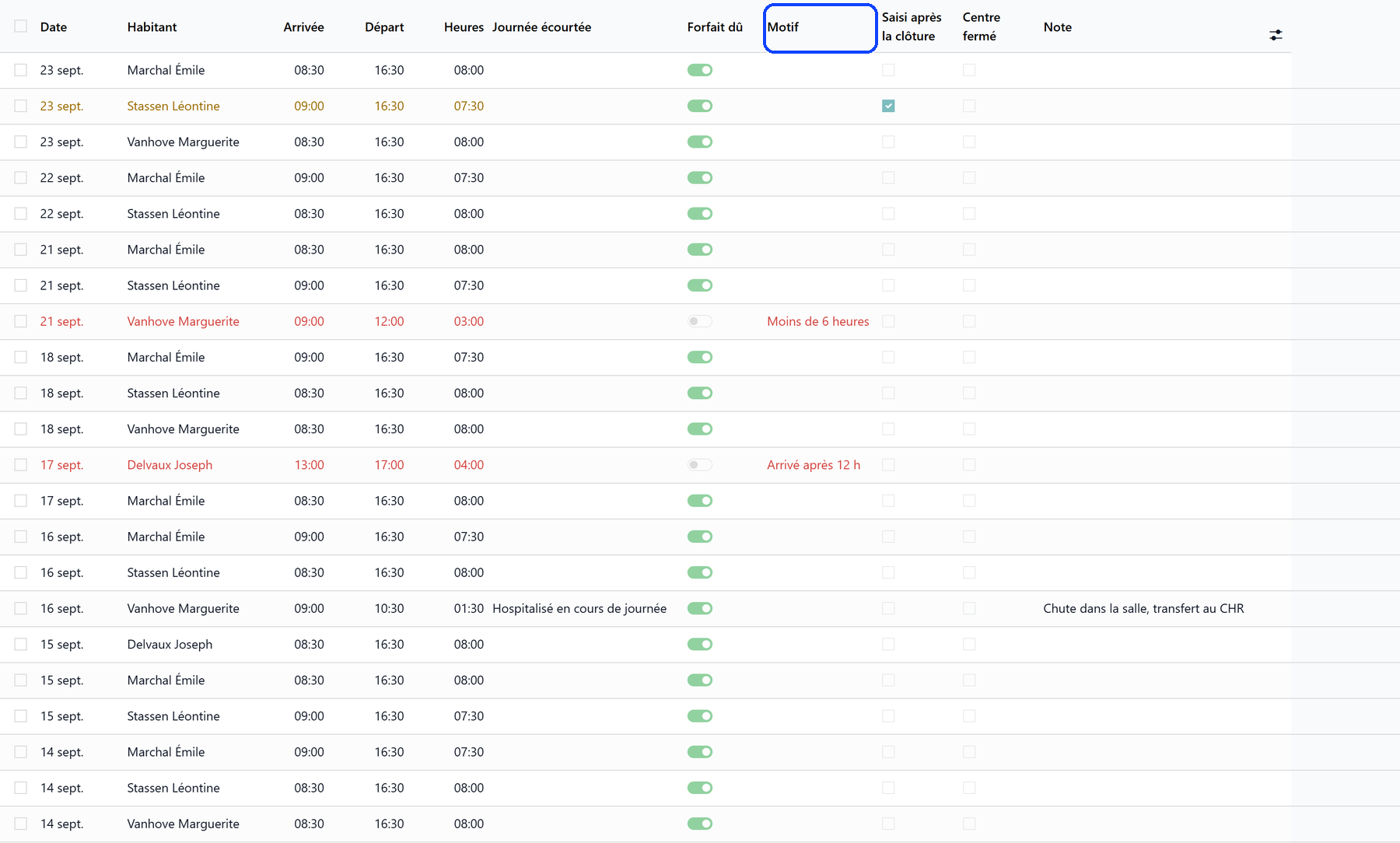
A day that earns no forfait shows in red, with its reason under Why Not Due; a day recorded after the closure shows in orange. A day recorded on a weekday the centre does not open is flagged, never refused: it is either a date typed wrong, or an exceptional opening.
What’s next
Billing a day care month — what the days recorded become on the invoices.
Care for a day care user — how the register decides the care of the day.