Vital signs
The Vital signs button of the resident’s sheet opens the form of measures.
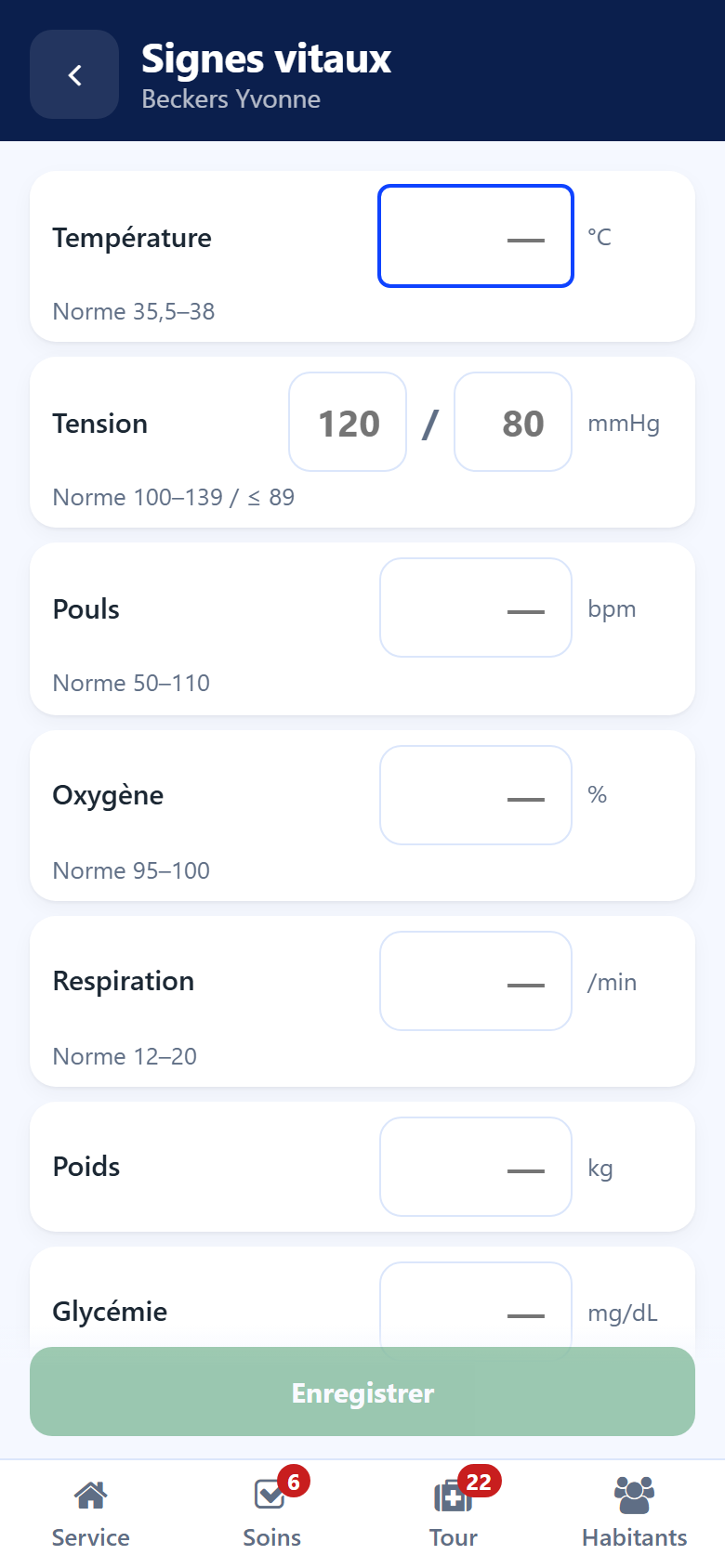
Measures
Temperature (°C)
Blood pressure — the two figures, in mmHg
Pulse (bpm)
Oxygen (%)
Breathing (per minute)
Weight (kg)
Blood sugar (mg/dL)
The Next key of the phone keyboard goes to the next field.
Taking the measures
Fill in the measures taken — only those.
Read the line under each field: the usual range and the last value.
Add a remark under Anything to add if useful.
Tap Save.
Colours and short forms
Orange — the value is outside the usual range: check it.
Red — the value is impossible. Save stays locked until it is corrected.
The short forms used on the floor are understood: 13 is read as 130 mmHg, 374 as 37.4 °C. The line under the field then says what will be recorded.
The measures are recorded as a vital signs note on the resident. They feed the same history and the same curves as in the back office. See Care plans and vital signs.