Setting up pocket money
Setting up pocket money is done once for the home (steps 1 to 3), then once per resident (steps 4 and 5). Agree on steps 1 and 2 with your accountant: the account code and the journals are theirs to choose.
Activate pocket money
Pocket money is not active by default. Until it is, none of the fields below appear.
Open Apps and remove the Apps filter from the search bar.
Search for Argent de poche: the module keeps that name in every language until it is activated.
On Argent de poche, click Activate.
Only with the accounting in WideCare
Do not activate pocket money when the home keeps its accounts in another database through the accounting bridge: the balance is read from the accounting entries, and would stay at 0.00.
1. The pocket money account
Create one accounting account for the money held on behalf of the residents. It is a liability of the home — money it owes the residents — not a revenue account. One account is enough for every resident: each entry on it carries the resident’s name.
Open Invoicing (Accounting if you have it) → Configuration → Chart of Accounts, then click New.
Fill in the Account Name and the Code the accountant chose.
As Type, choose Current Liabilities.
Save.
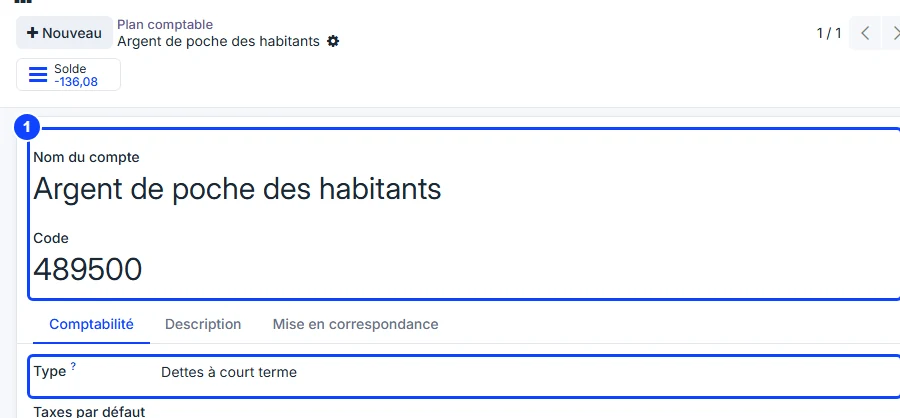
In Belgium
The account is created in class 4 of the chart of accounts, for instance 489500 Argent de poche des habitants under 489 Autres dettes diverses.
2. The two journals
First create the pocket money sales journal, if the home does not have one yet:
Open Invoicing → Configuration → Journals, then click New.
Give it a Journal Name, for instance Pocket money.
As Type, choose Sales, and as Sequence Prefix a short code, for instance POCK: the second invoices are numbered POCK/….
Save.
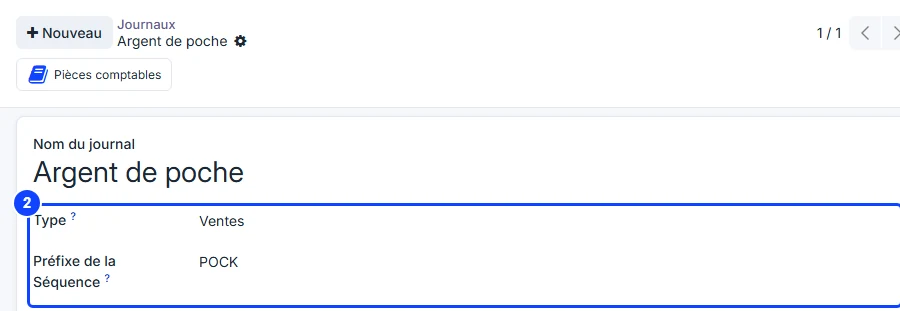
The settlement uses the Miscellaneous Operations journal the home already has: nothing to create.
Then, in Settings → Billing, block Billing Journals, fill in the two pocket money journals:
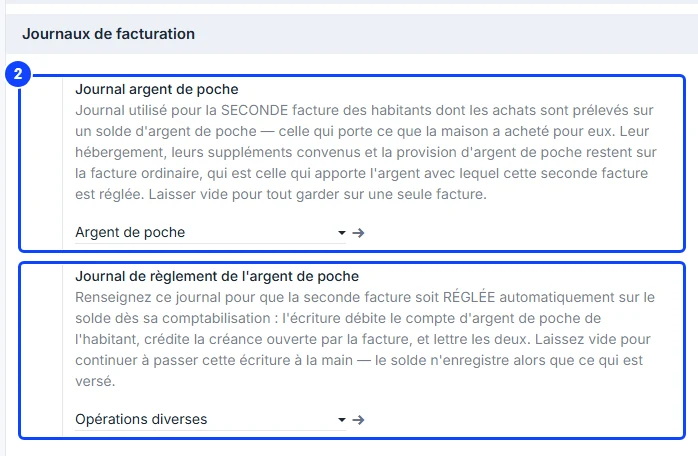
Pocket money journal — a sales journal of its own (for instance with the code POCK) for the second invoice, the one carrying what the home bought for the resident. Having it apart makes these invoices easy to find. Left empty, everything stays on a single invoice.
Pocket money settlement journal — the Miscellaneous Operations journal. Filled in, the second invoice is paid automatically out of the balance when it is posted. Left empty, the accountant passes that entry by hand.
Settling automatically is an accounting decision
That is why the settlement journal is empty by default: WideCare never draws on money held for someone else unless the home has asked for it.
3. The product that pays in
Open the product billed as the monthly provision, and in the General Information tab tick Pays into pocket money, under the internal reference.
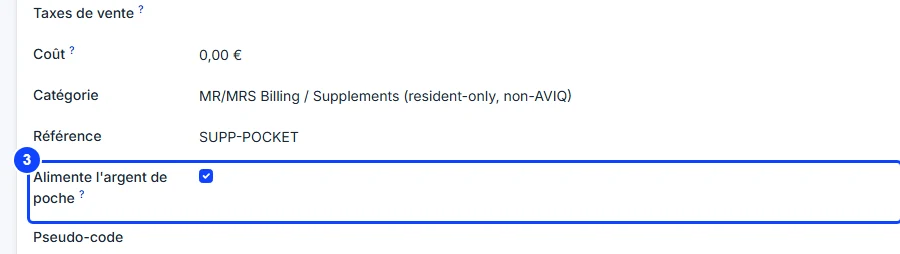
Its invoice line is then booked on the resident’s pocket money account instead of a revenue account. A home may pay in through more than one product (a public provision and a family top-up, for instance): tick each of them.
In Belgium
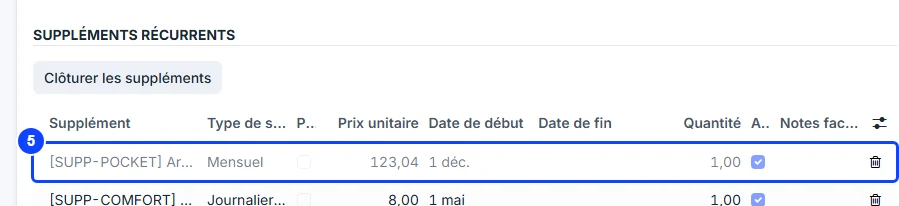
The Belgian billing provides the Pocket money product (reference SUPP-POCKET, 123.04 € a month, the amount paid by the CPAS). The box is not ticked when it is installed: tick it, or the provision is booked as revenue and the balance stays at zero. See CPAS support.
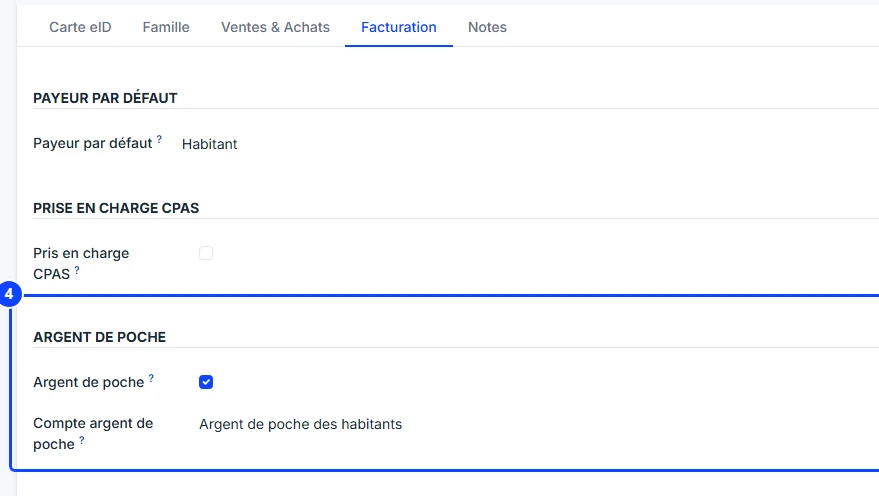
4. The resident’s record
On the resident’s record, click Contact under their name to open their contact record.
Open the Invoicing tab, group Pocket Money.
Tick Pocket money.
Choose the Pocket money account created at step 1 — required once the box is ticked.
Save.
5. The monthly provision
Back on the resident’s record, open the Stay Agreement tab and add the provision product to the Recurring Supplements list, with the start date of the first month to bill. Change the unit price if the amount granted differs from the product’s price.
The provision is billed in full once a month, even for a month the resident arrives or leaves part way through: it is not prorated.
Not in the supplement envelope
The provision goes in the Recurring Supplements of the stay agreement, never in the monthly supplement envelope. The envelope holds the purchases of the month, which go on the second invoice; the provision belongs on the ordinary invoice, which is what brings the money in. See Supplements.
Check the setup
The Pocket money button appears on the resident’s record, under More, as soon as the box is ticked and the account chosen. It shows 0.00 until the first invoice carrying the provision is posted. See Pocket money.
A choice of its own
Pocket money is ticked per resident, never deduced from who funds the stay: a resident supported by a public body does not automatically receive pocket money, and a resident funded by their family may.