The medication round at the desk
The round is usually recorded on the phone, at the resident’s side (see Medication round on the care app). At the desk, the Medicines workstation shows the same doses and lets you record, complete or correct them.
How the round is built
Each night, just after midnight in the house’s time, WideCare places the day’s doses from the active treatments: one dose per treatment and per moment of the day. A suspended, cancelled or completed treatment gives no dose; an as needed treatment has no place on the round.
A dose goes through these statuses:
Status |
Meaning |
|---|---|
Due |
To give at its moment. |
Distributed |
In the resident’s hands; the intake is still to confirm. |
Given |
Taken in front of the person who records it. |
Missed |
Its moment passed and nobody recorded it. |
Refused by Resident |
The resident refused it. |
Not Taken |
Given but not taken: Spat out, Vomited after the intake, Asleep, Found (tray, floor, pocket), Other. |
Not Available |
The medicine was missing: it enters the pharmacy’s basket. |
Resident Hospitalized, Away, Skipped |
Not given, for that reason. |
Recording from the desk
Open the Round tab of the workstation, or The Round / The Whole Round for the full list (by default: today, still to give, grouped by moment). On each dose:
Distributed — in the resident’s hands now, by you; the intake is ticked after.
Given — given now, by you. On a distributed dose, it confirms the intake.
Given Earlier — given at its hour and not recorded then: choose when and by whom, for one dose or several. Never an hour to come, never more than seven days back.
Say Why — opens the dose to record that it was refused, not taken or not available.
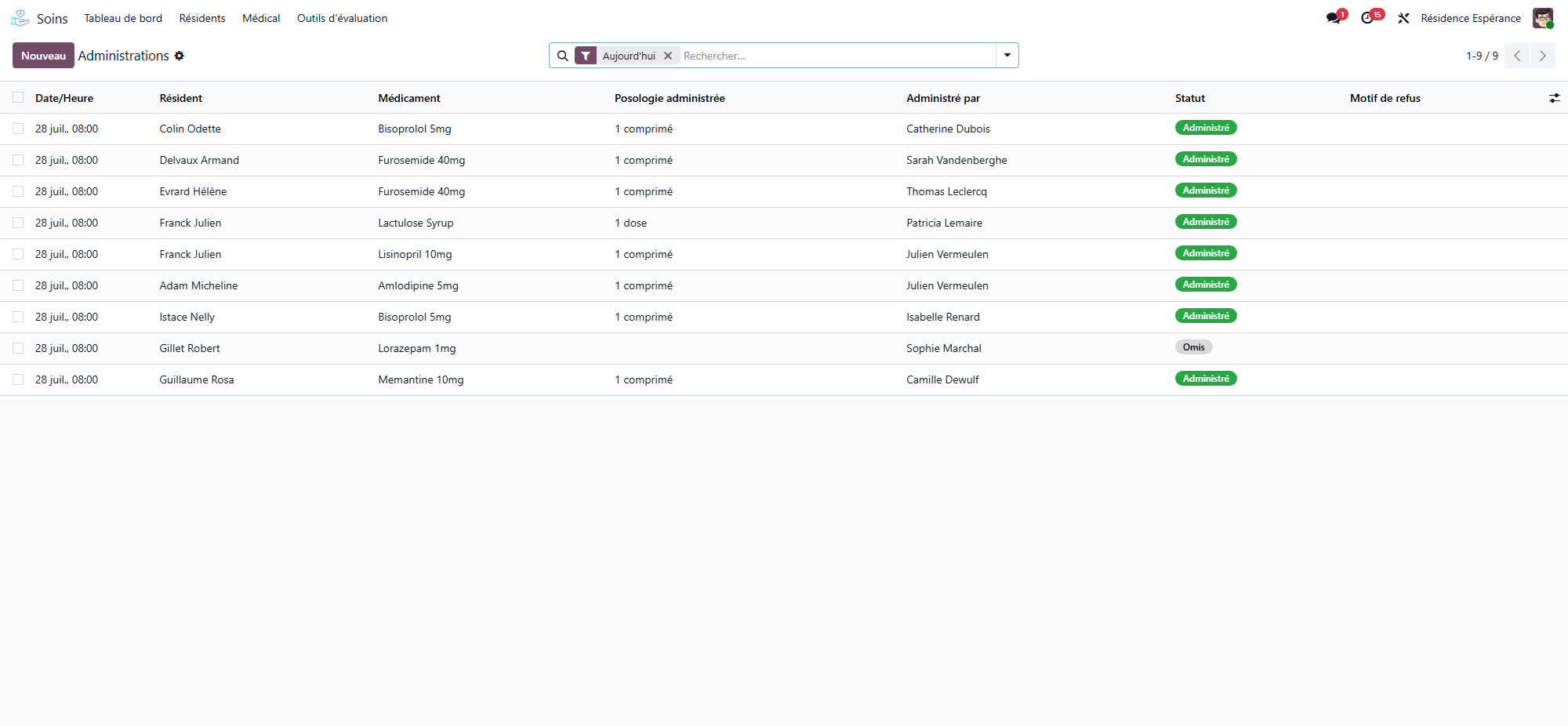
The filters Still to give, Missed, Incidents and Corrected, and the grouping By Moment, narrow the list. Administrations opens all the doses recorded, with the filters Administered, Distributed, intake to confirm, Refused, Not Taken, If Needed and Unplanned.
The right hand for each dose
WideCare refuses a gesture the person may not do: a dose already recorded is not given again, a dose of a past care day is only recorded with Given Earlier or as not given, and a care assistant gives only what their role and the pillbox rules allow (see Pillboxes and the pharmacy’s sachets). A critical allergy recorded after the treatment blocks its doses.
What the workstation asks for
The To Do Now tab lists Missed doses and Intakes to confirm (doses distributed some time ago whose intake nobody confirmed). Both open the round on the right sector.
The four gestures on a dose
Open a dose to read, in The Four Gestures, who prepared it (and whether The house or The pharmacy filled it), who checked it, who distributed it and who gave it, each with the time. What happened is a fact: the hands, the hours and a status already recorded are not typed over; only the gestures and the correction write them.
Correcting a wrong record
Within fifteen minutes, the person who ticked a dose takes it back in the care app. After that, the record is no longer a draft: a nurse or a physician corrects it.
Open the dose and click Correct this record.
Under What Happened, choose what really happened (not given, given — and by whom —, refused, not taken, not available).
Write Why the Record Was Wrong (required), then Record the correction.
The correction is a record of its own, never changed or deleted: what was recorded (Was Recorded As, Recorded By, Recorded At), what is recorded now, who corrected it and when. The dose is marked Corrected and counts among the incidents. A correction also puts the box right: units taken back for a dose that was not given, counted down for one that was. Corrections in the Follow-up tab lists them all.
Medication incidents
There is no separate register: the incidents are the doses themselves. Incidents, in the Follow-up tab of the workstation (medication manager and head nurse), counts month by month the doses missed, refused, not taken or not available, those with an issue found at the check, and the corrected records — in a pivot, a graph or a list, grouped by resident. Use it for the quality report.