Observations and vital signs
An observation is what a carer saw, dated and signed: a change in behaviour, a pain, a wound, a fall, a visit. Observations feed the care plan, the multidisciplinary meeting and the resident’s history.
Find the observations
Nursing Care → Care → Observations → Observations — all observations.
Nursing Care → Care → Observations → Attention Required — the observations flagged for attention.
Nursing Care → Care → Observations → Observations to read — the observations waiting for a head nurse.
On the resident’s form, Observations lists theirs and History shows them on a calendar.
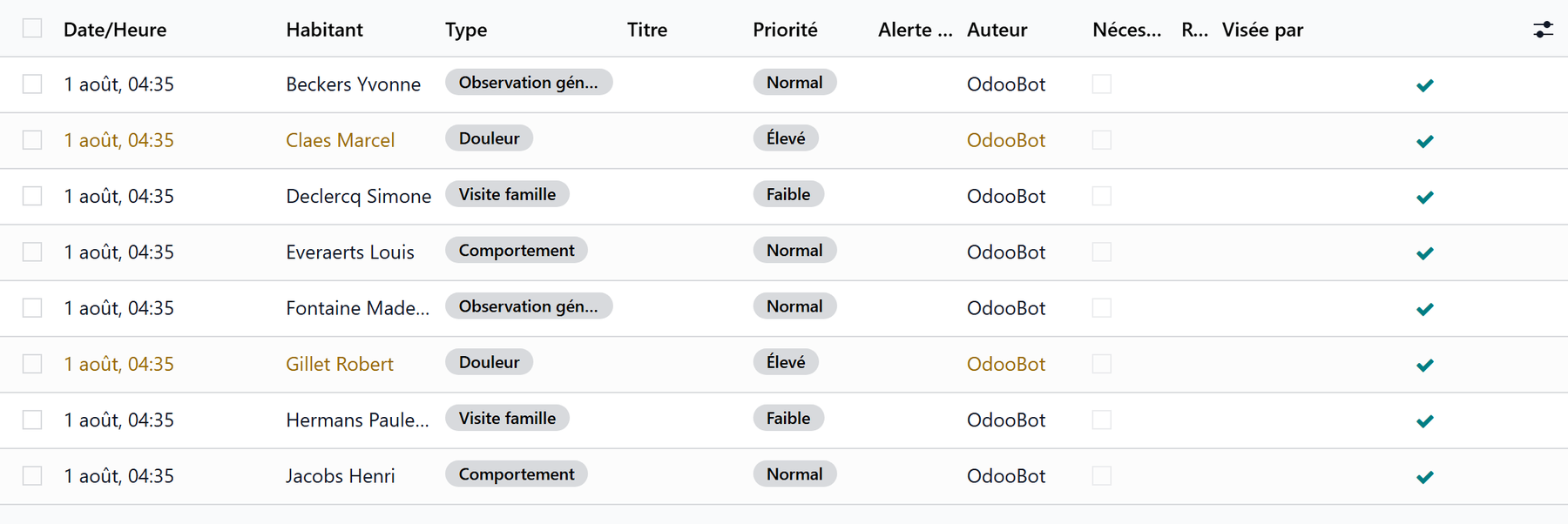
1. Write an observation
Click New.
Pick the Resident and the Type: General Observation, Vital Signs, Wound Care, Behavior, Continence, Pain, Fall, Incident, Family Visit, Doctor Visit, Transfer, Other.
Set the Priority: Low, Normal, High or Urgent. A fall or an incident is always high.
Write what you saw in the Observation tab. Body location marks where, on a body drawing or in a list, as the house chose.
Tick Requires Attention when the team must act on it.
Save. The title is built from the type, the resident and the date.
The type opens its own tab:
Tab |
What it holds |
|---|---|
Vital Signs |
The measurements of the moment |
Pain |
The pain level from 0 to 10 and where it hurts |
Wound Care |
Photo, identification, dimensions, assessment, treatment and the decision |
Incident |
What happened, the witnesses |
Follow-up |
What was done afterwards |
Photos |
The photos taken |
An observation written from a care task or an objective stays linked to it.
2. Read the observations
I have read it adds your name to Read By.
An observation To read waits for a head nurse: the ribbon stays until a head nurse clicks I have read it.
Mark Resolved closes an observation that required attention: a head nurse, a physician, the management or the person it was handed to does it.
Only its author can correct an observation. Once read by a head nurse or resolved, it is closed: to add something, log a note in its thread.
Reopen (head nurse, physician or management) lets the author correct a closed observation; the reason stays in its thread.
A fall always waits for a head nurse
A Fall observation stays To read until a head nurse has read it. When a head nurse writes it, another head nurse reads it. The setting Falls in Nursing Care → Configuration → Settings chooses how the head nurses are told: by an activity only, or also by email.
3. Search the observations
Filters: Today, Urgent, High Priority, Vital Alert, Handed to me, On My Objectives, Not Read by Me, Attention Required, Observations to Read, Observations Read, and by type: Vital Signs, Wound Care, Falls, Incidents, Pain. Group by resident, type, priority, author or date.
Vital signs
Click Vital Signs on the resident’s form, or New → Vital signs on the care dashboard.
Check the Resident and the date and time.
Read the Last Readings for comparison.
Enter what you measured:
Blood Pressure — systolic and diastolic;
Vital Parameters — temperature, heart rate, respiratory rate, oxygen saturation;
Other Measurements — blood sugar, weight, notes.
A banner warns at once of any value outside the Reference Norms.
Click Save.
The measurements become a Vital Signs observation. The weight updates the resident’s record and their BMI.
Trends
Trends on the resident’s form opens Vital Signs Trends: pick the measure, then View Trends to see its curve over time.
Configure the observations
Nursing Care → Configuration → Observation Types — drag the types into the order the meeting reads them, and mark which are Critical. Falls and incidents are always critical.
Nursing Care → Configuration → Settings — Body location entry (drawing or list) and the Falls reading.